
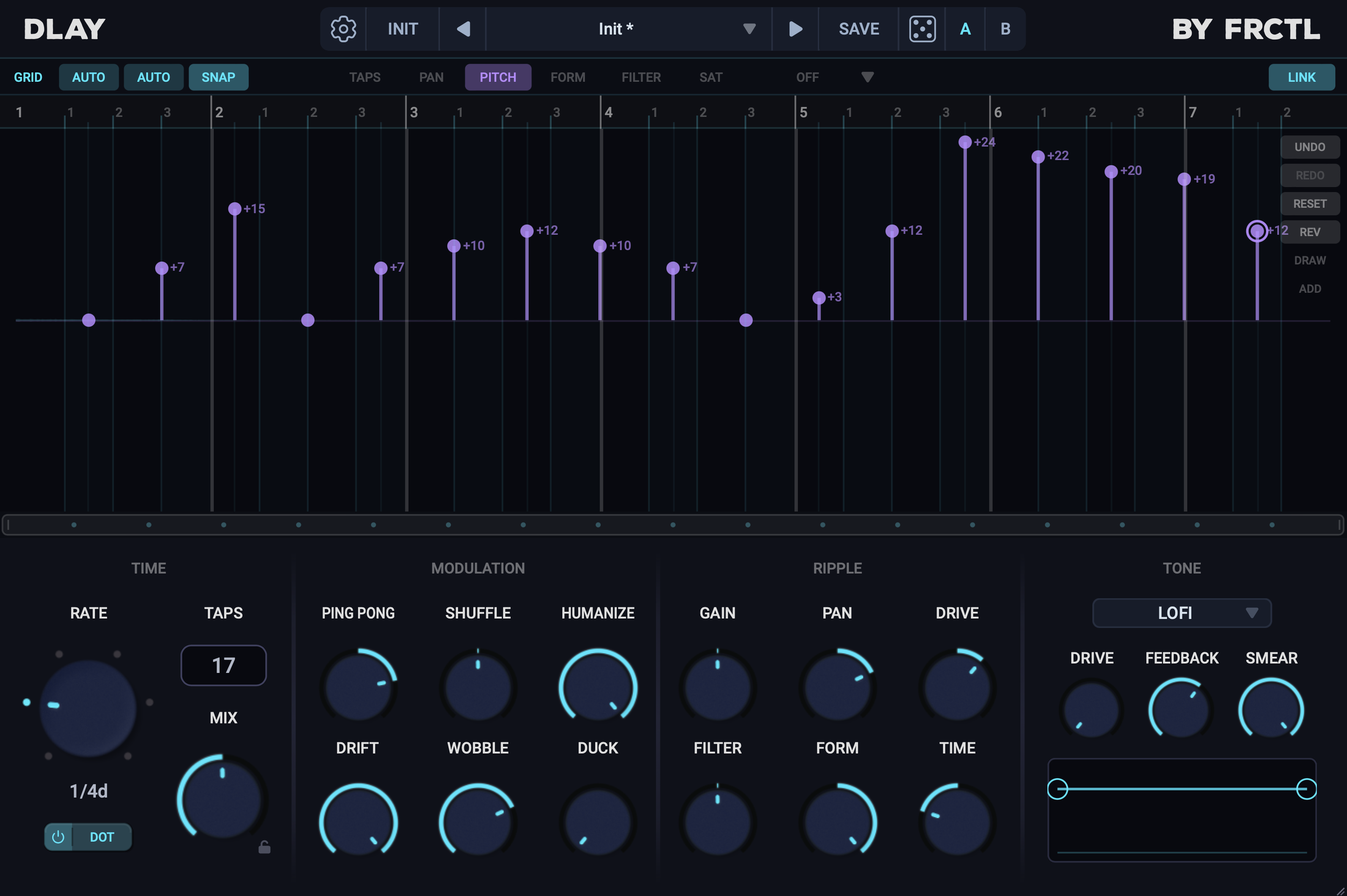
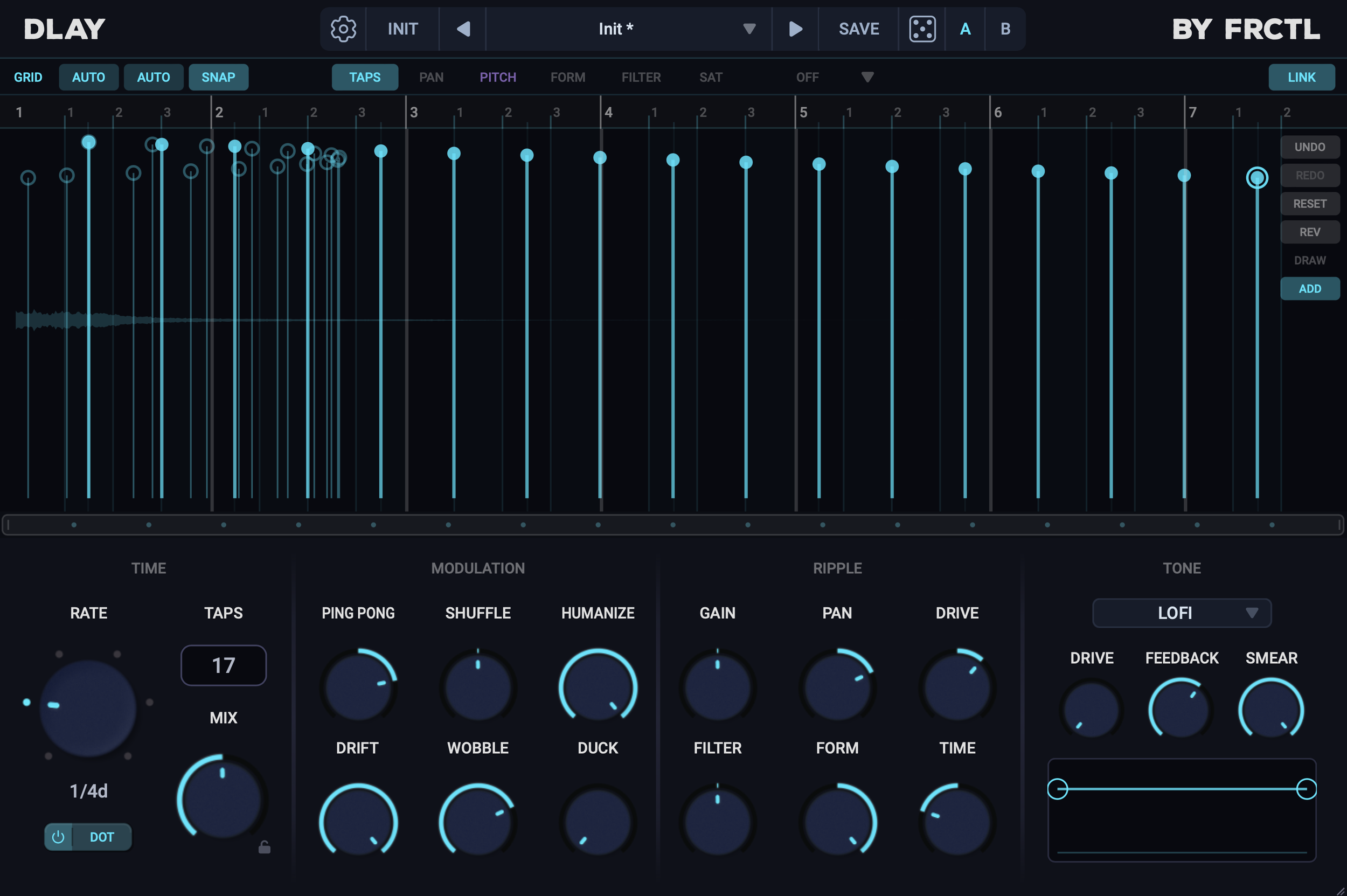
I was already working on a multi-tap delay “shootout’ of sorts when FRCTL audio released their DLAY multi-tap delay processor. That article will have to be “delayed” for now as I’d like to cover DLAY first. As mentioned DLAY is a multi-tap delay with up to 64 taps. Each tap has multiple parameters that can be adjusted manually, or adjusted as a group using one of the modulation or ripple controls.
Taps can be added one at a time by shift clicking or add many via the taps count slider. Holding control allows you to free draw the tap amounts for whichever page you are on. DLAY also offers seven different flavors od delay tone: digital, tape, BBD, lofi, space, vinyl, and radio. You can even right click taps to give each tap their own unique delay flavor. For example tap 1 can be lofi, while tap 2 is digital, and tap 3 is tape. Additionally, there is an option to reverse individual taps from this right click menu as well.
You get manual control over each tap’s timing, amplitude, pitch, formant, filter, and saturation. I really apreciate the pitch and formant controls. Unfortunately. The modulation and ripple sections control every tap at once, for example, the ping pong control will adjust the LR pan of every other tap, while the formant control will apply a ramp increasing the formant of each tap. The time control does the same, but with the timing of each tap. I really apreciate how the time control doesn’t just bend the timings, but can fold them over giving you entirely new patterns.
The tap editor has several different grid snapping options as well as some fun preset tap patterns to play around with. You can also decouple the left and right taps allowing you to apply entirely different patterns to each side of the stereo field, this also applies to all the main controls
Humanize, drift, and wobble all apply subtle modulation to the pitch and timing of each tap. With short delays and high feedback these can have some very pleasing diffusion qualities. I do wish these controls had a bit more range, as they are now, 100% is a pretty solid effect, but I’d love to push things a bit further into noisy territory if I wanted to. There’s also a smear control which applies a stronger diffusion, smearing transients and creating a reverberant wash. The different tone models affect the delay quality, this is also pretty subtle, but can provide a few nice flavors to chose from, though with heavy use of filtering, pitch shifting and formants, these colors are almost unnoticeable.
Delay time can only go as short as 10ms, but with pitch or formant shifting, this minimum time is quite a bit longer. I also found that DLAY does not handle external modulation very well, audio kinda cuts out and glitches in some weird ways when using automation on timing controls, this can be a cool effect though too, so I do suggest playing around with this for glitch design.
Over all, I really enjoy DLAY, it is pretty feature rich with lots of flexibility. The UI is a nice dark blue and incredibly easy to navigate with plenty of options for editing taps. You can highlight and control groups of multiple taps and there’s a list of editing shortcuts in the settings menu that you can take advantage of. As far as multi-tap delays go, there’s a lot to work with here. I do think DLAY avoids some of the more experimental use cases, but there’s also room to get pretty crazy with various tap patterns.