
LAUNCH CONTROL XL 3 Review
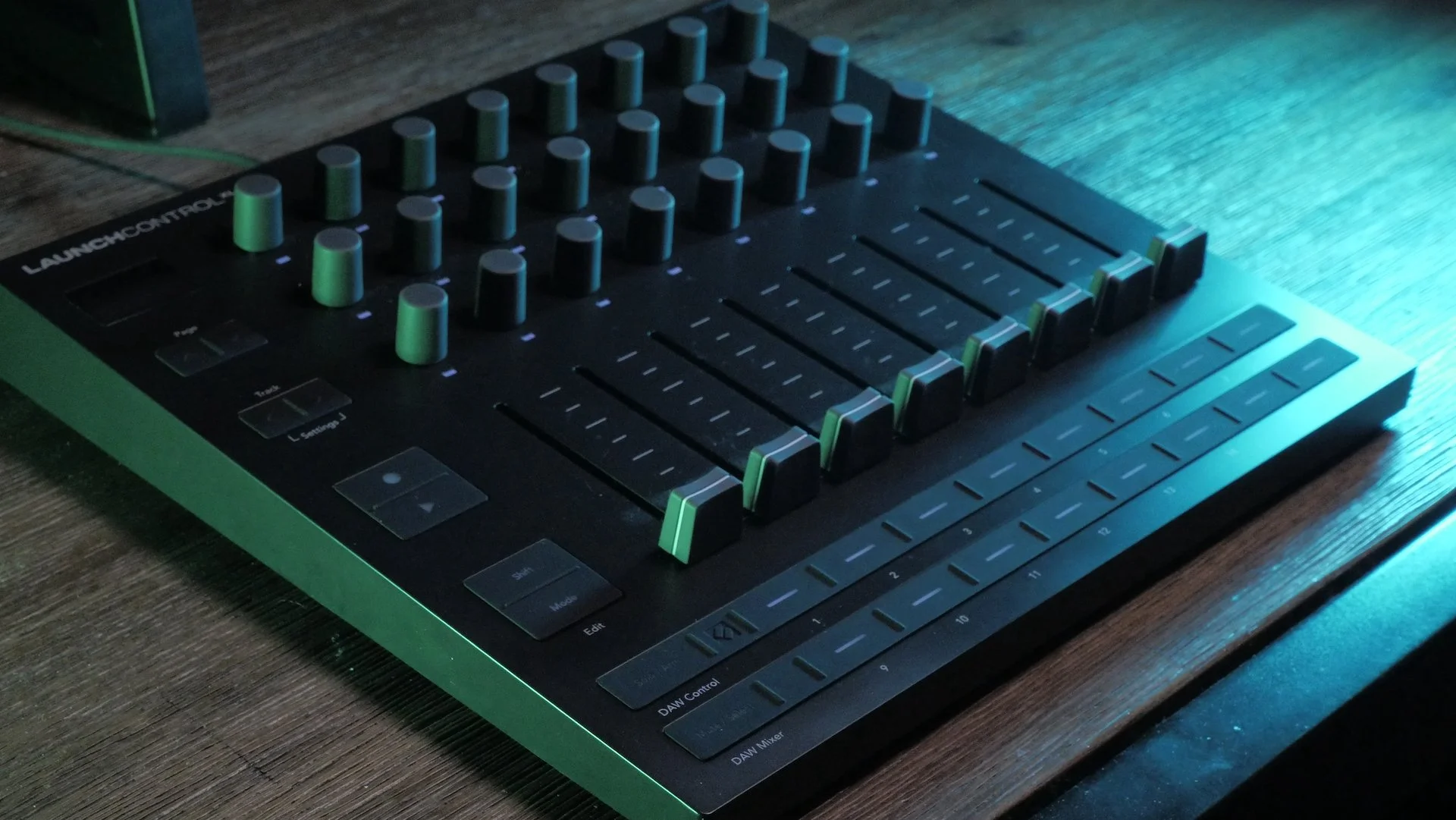
I got my hands on a Launch Control XL, if you’ve read my article “in search of the perfect encoder array” you’ll know that I’ve been looking for gear like this for some time. First off, let me just say, having this in my hands is better than waiting for the ideal product. The encoders feel nice, the controller doesn’t slide around when you adjust the sliders, and the sliders feel nice too.
Once you get things set up the experience is quite pleasant, the real challenge is mapping out all your controls and deciding on a configuration.
I have two major complaints though, the LED indicators are not particularly useful, luckily the on screen value provides all the information you need, but the brightness from minimum to maximum is very very subtle, I think I’d prefer an option to shift through hue. instead.
Secondly, the software to edit your settings is not very friendly. Having used components in the past, I can say it is not a very intuitive option.
You have to load a program, edit it, then send it back, and there are very few options.
It is a fairly tedious process that could be streamlined quite a bit, That said, once you have things laid out how you want, you’ll probably be set and wont have to interact with this side of things too often
while tedious, it is very nice that you can name every control you create in components, and they will show up named on the LCXL
My first experiment was setting the launch control up as an 8 channel effects controller. I’m using the modes as different pages, so the buttons are not in use for this setup. Each mode changes the encoder channel, but leaves all the sliders the same, This way the sliders always share the same purpose and never jump or need to catch up. each slider controls the mix of a different effect lane, with 8 total parallel effects racks. Using the mode selection mode each button below the sliders changes the encoders to that slider’s channel, making for a fairly intuitive setup. I also have to say, I think this controller looks very slick, I love that there isn’t too much text or decoration, it is simple and to the point.
I did one jam with this setup and it was quite fun, though not ideal because I kind of mapped everything a bit arbitrarily. I till really take some time and thought to plan out how each encoder should be mapped to make a meaningful setup. In this sense, I almost wish I had started with something smaller, around 8 encoders or so just to freely map whenever, then expand to this size once I have a better idea of what to do. I did another jam where each slider was mapped to a different drone, and the encoders above affected the tone of each channel. This jam was quite fun and expressive, making the sliders almost like their own instrument. I have a newfound appreciation for sliders now, For the most part, other than my two complaints, the experience was very positive, once the software was set up, I no longer needed to touch that side of things, and the LEDs weren’t making anything worse in any way.
I do have one more complaint however, and that is the lack of a power switch. I prefer to leave my gear plugged into my computer, and I don’t like the LEDs being active when not in use, I really wish more of these controllers would have an on/off switch, but perhaps this is something I can fix with a nice usb hub, leave a comment if you have any suggestions.
I will be using this controller more over the following weeks, months and hopefully years, I am still looking forward to the BCR32 one day, especially because of the LED rings. For now this gives me some time to experiment with different setups and something tangible in my hands. Ideally I want to use these encoder systems for sound design, mapping my favorite parameters in such a way where I can fluidly create tones and textures with my hands rather than a mouse. Unfortunately, there’s many decisions in software that just don’t quite translate to a controller like this, for example: loading new effects, changing wavetables, modulation routing, MSEG editing. That said, I think I can find work arounds to some of these, perhaps this is a tool better fit for certain types of sound design, such as distortion mixing, drones/textures, or maybe even simple percussion. Only time will tell, but I plan to update this review as I learn more
If you enjoyed my review and plan to pick one of these up from Zzounds, please consider using my affiliate link below to help support my work
https://www.zzounds.com/a--3979412/item--NOVLNCHCNTRLXL3