
If you’re already familiar with Vital skip ahead to the “hidden features” section to learn some Vital secrets.
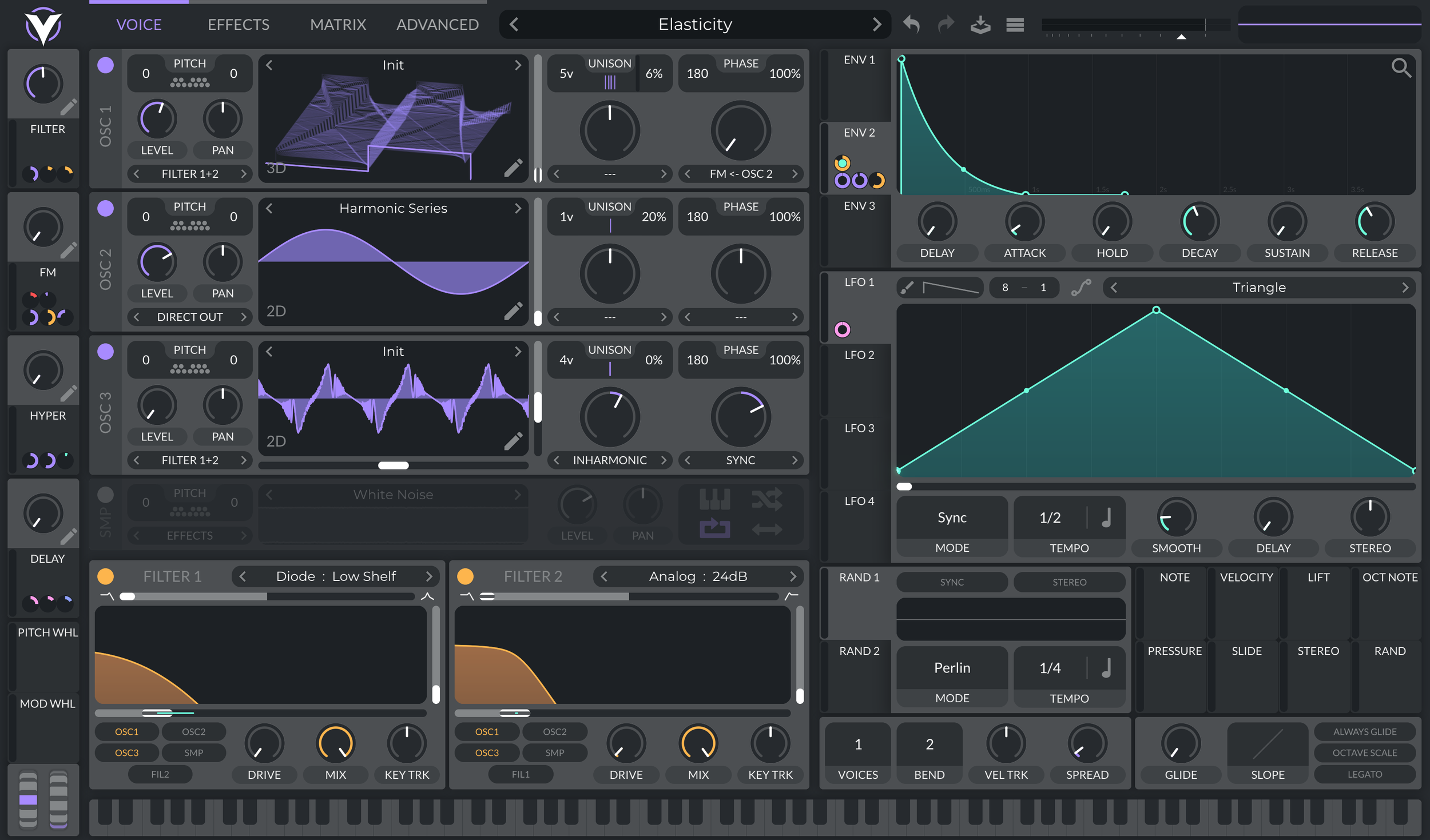
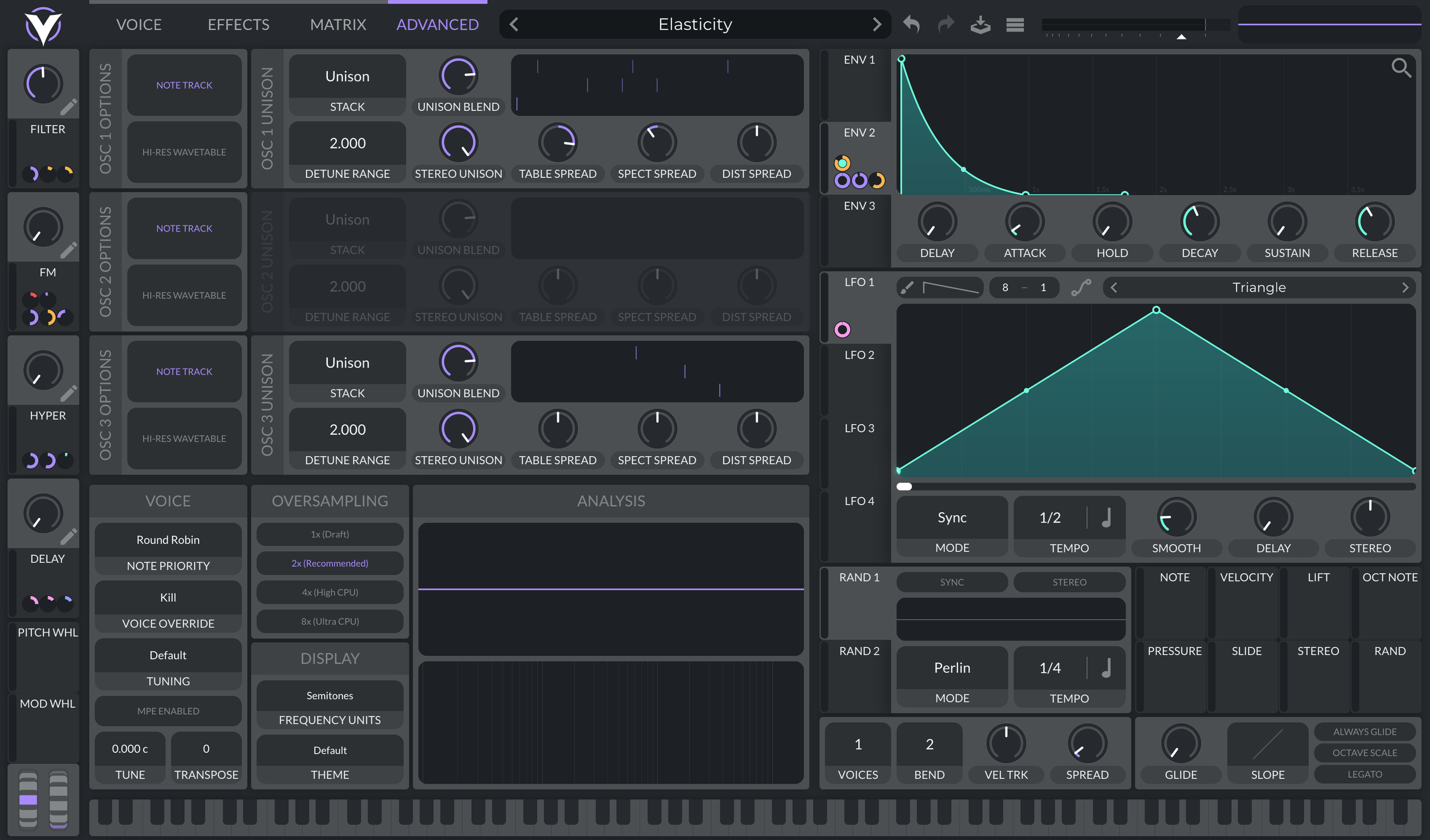
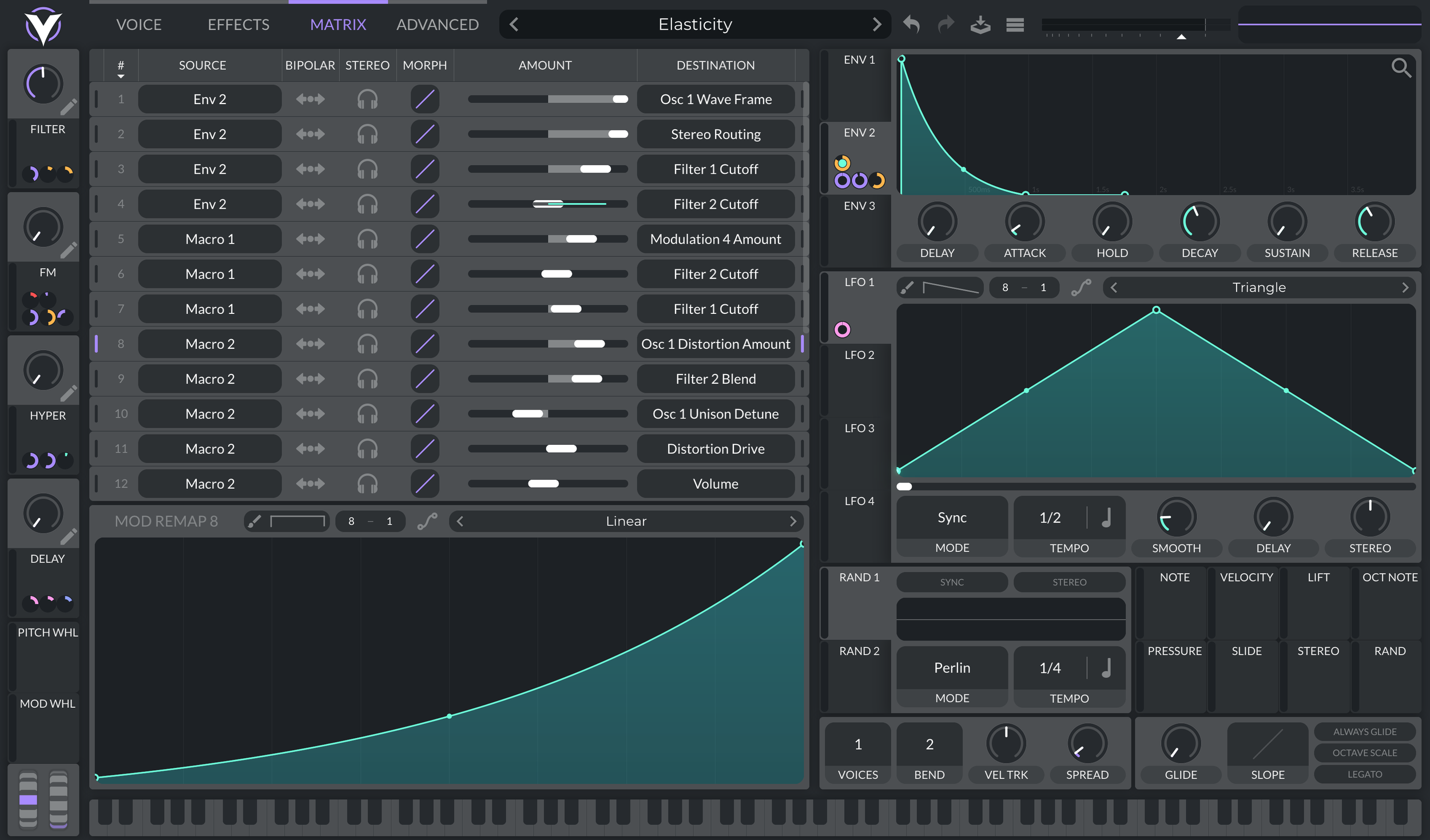
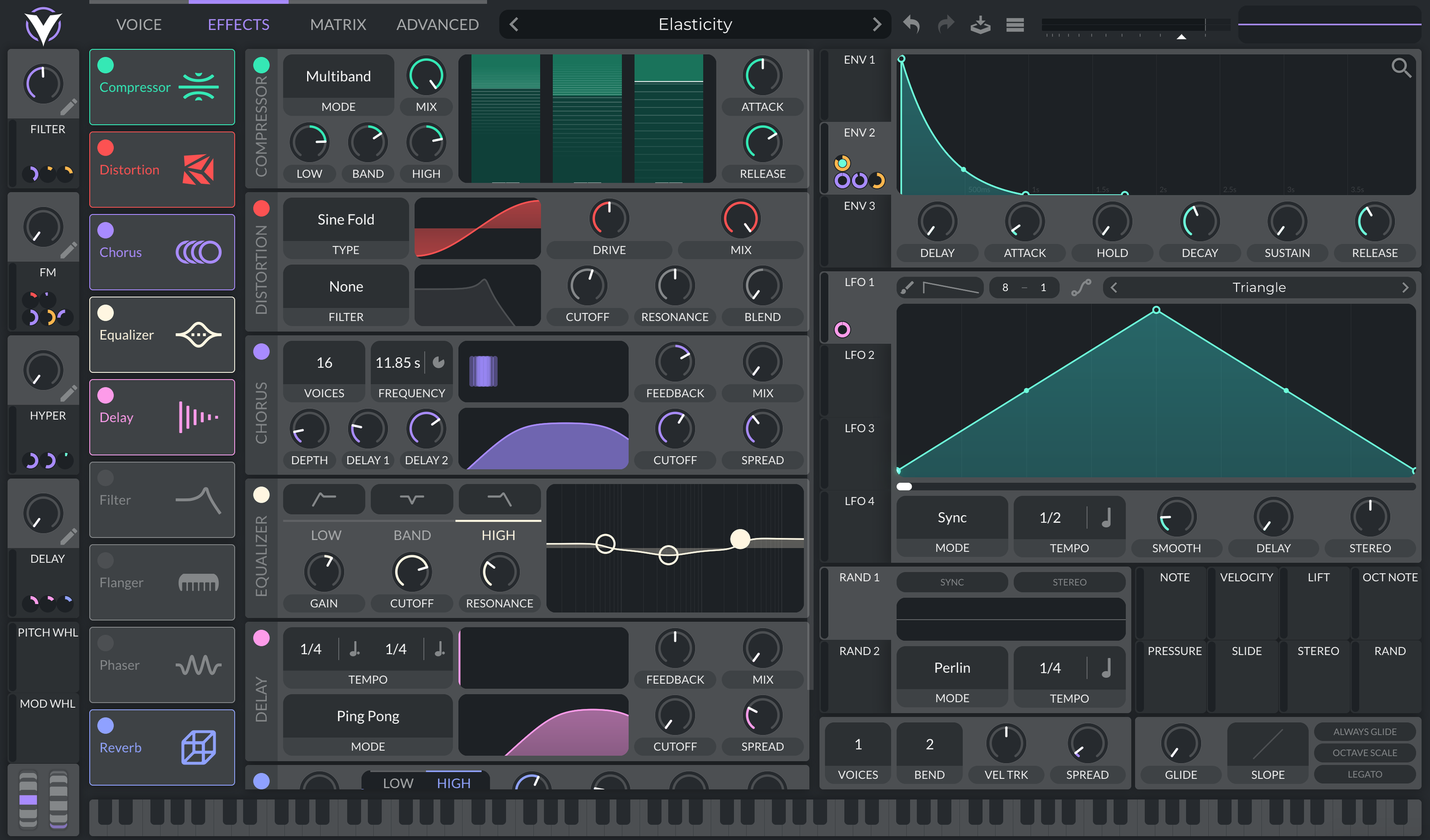
This review is LONG overdue, Vital was one of the first synths where I really dug into every feature, it was also the first synth I ever beta tested and made presets for. As well, my first Vital streams were took my channel from the hundreds of views and subscribers into the thousands. So with that all said, there’s obviously a bit of bias here, however, Vital is not without faults and at this point I am comparing it to years of other synths as well as my experience with synths before hand. Vital is quite obviously of the “Serum clone” variety of synths (Serum 1 not 2), wavetable oscillators with drag and drop modulation and a rack of effects that can be rearranged. I got to play with Vital before the updated UI when it basically just had parallel features with Serum, but many enhancements were made before release. I thought about doing a Vital vs Serum shootout, but at this point with the release of Serum 2 it is a bit late.
Vital’s UI is very slick, a nice flat vector design with soft colors, there’s a few skins to chose from, but the default skin and “candy cave” are by far my favorites. The layout is very simple with tabs for voice, effects, matrix and advanced features. Information is displayed as needed with unused panels being dim and modulators showing up as you use up the available ones on display. Dragging and dropping modulation showcases which controls can be targeted (basically all of them). There’s also little modulation handles that are color coded based on their target making modulation a breeze to navigate. Also there’s just many little enhancements to the UI that make Vital fun to play with, modulation is previewed before being assigned, you can use the scroll wheel to adjust modulation depth before assigning it, you can drag modulation onto a modulation handle to assign it to the modulation depth. There’s just a ton of clever UI in Vital that I would love to see in the more modern synths that have come since.
Vital hasn’t seen many updates since release, but the developer Matt Tytel still claims to be working on Vital, and seeing as it is FREE I don’t think it’s worth making statements that it is “abandoned” or “dead” in any way, it is very much a viable synth as is and if any update comes it will only be an improvement. I think given that it is a free synth, this is a must have for any producer or sound designer looking to add to their arsenal and the perfect synth for beginners to start out with. There’s obviously some other really cool freebies that are worth grabbing as well, but Vital can basically cover the full gamut of sound design needs and will teach you nearly everything you need to know about synths to help guide future purchases
OSCILLATOR

The oscillators in Vital are very powerful, you get three wavetable oscillators each with unison and two oscillator effects. The first oscillator effect is for spectral processing, while the second is for wave shaping and phase distortion. The spectral processing is where some really fun stuff can be done, you may notice a similar layout in Current, where the spectral processing comes after the phase distortion, giving each of these a slightly unique set of capabilities (also different spectral effects)
The phase distortion effects are your run of the mill options, sync, pulse, bend, squeeze, all the various phase distortion effects found in Serum and others. Quantize is a fun bit reduction style effect, but also not completely original (though it does sound particularly sweet). You also get FM and RM from the other oscillators which at the time was quite incredible given Vital had a third wavetable oscillator instead of a sub.
The spectral effects are where things get really interesting, this was quite ground breaking upon Vital’s release as very few synths had spectral oscillator effects. I can think of Europa being probably the best example at the time. It’s worth mentioning that these spectral effects are not FFT based dsp, but actually act on the harmonics of the oscillator its self, like they are being applied to the partials in the wavetable, rather than filtering them afterwards. There’s a nice collection of various experimental spectral effects that vary in power and impact. Below are some of my favorites, but there’s well over a dozen to chose from
Harmonic/Inharmonic Stretch: These are additive-like effects where each partial of the wavetable gets shifted over, but because they are wavetables you still only get harmonic content. Still, these are very interesting effects that completely reshape the tone of your wavetable. Great for screaming metallic sound design.
Smear: I’m not exactly sure what’s going on with this one, it sounds like a compressed high-pass filter. I think it might be averaging the partial levels, since usually the quietest partials are the highest, this has the effect of dropping the low frequencies while raising the highs, but this is only my theory.
Random Amplitudes: Randomly filters out partials of the wavetable depending on control position. This one comes with a little dice icon to randomize the seed. Obviously it is great for chaos and weird sound effects, but I’ve also found this one incredible for creating plucks and bells.
Phase Disperse: A dispersion effect that shifts the phases of each partial independently. Turns saws into bubbles
Spectral Time Skew: One of the more interesting effects in Vital, spectral time skew shifts the wavetable position for each partial independently. For example, partial one might be at table frame 1 while partial 2 is on the second frame and so on. In a sense this effect is rotating the wavetable position through the partials. This effect can completely transform even simple tables into juicy spectral goodness.
Data Compress: Reduces the data in a table by rounding partial amplitudes (I think), this has the effect of gating quieter harmonics and reducing wavetable noise.
Spectral Filter/Flanger/Phaser: These are by far the coolest oscillator effects in vital. They are drawable filters which use a pop out window via a pencil icon. You can draw any shape you want as a filter and there’s even an extra control to set the balance of this shape. The phaser and flanger variants are the same thing, but they repeat the shape along the spectrum for different characteristics.
It’s also worth noting that all of these effects can be spread per unison voice in the advanced tab, giving you some nearly additive sound design potential. For example you can use a harmonic series table, and spread the table position via table spread, then utilize the spectral filtering per unison voice to fade various partials in and out. There’s many other uses for this effect but the spread controls in the advanced tab really open up some fun sound design.
Wavetable Editor
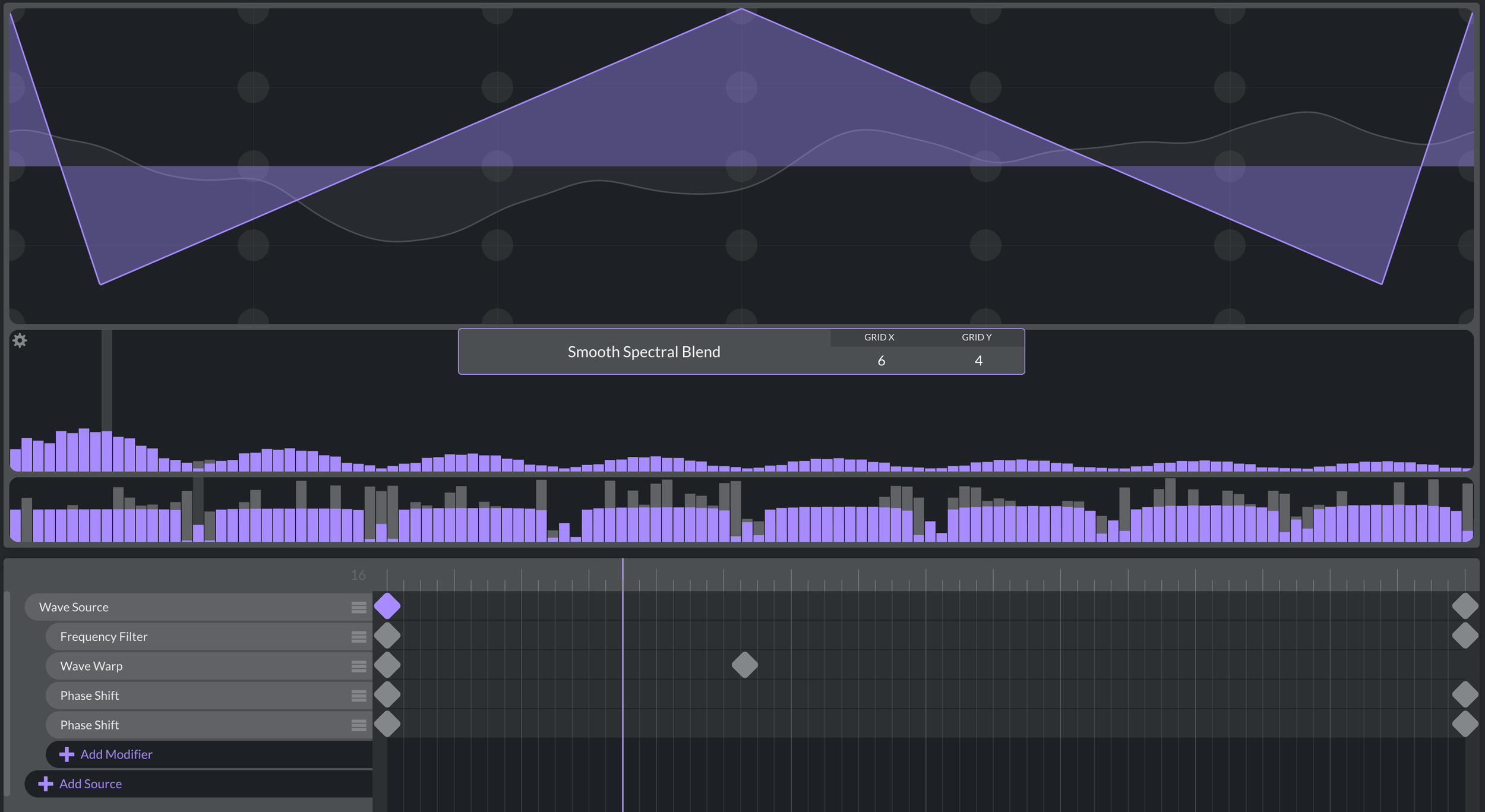
Last but not least as far as the oscillators are concerned is the wavetable editor. I plan to do a wavetable editor shootout in the near future, so I won’t compare this one to others in this review, but I think Vital’s table editor has some stand out features. For one, the pitch detection when importing samples is very solid, I tend to prefer Vital for more experimental table ideas as it is more likely to get things started on the right path.
What makes Vital’s table editor interesting is the keyframe approach, instead of a string of table slices, you get a timeline that represents the table’s range. Each node you add to this timeline represents that position within the table and everything is interpolated from there to the next node. Further more you can add various modifiers and sources to the timeline in parallel lanes, allowing you to go back and tweak previous decisions. In other table editors you have to commit your decisions before adding more modifications. Additionally, this timeline is saved to the table so long as you are saving it in the vital table format, meaning you have an additional layer of editing available within the table editor (for presets saved with vital tables).
Unfortunately, there’s not a whole lot of modifiers to chose from, the ones that are available are great, but I do wish many of the spectral effects and other wave-shaping was available here. The wave folder is really cool, as well as the wave warp, also worth noting that the filter can be set to comb and used to “square-ify” your waveform. I do think this keyframe system is very powerful and I’d love to see more table editors take advantage of it.
FILTERS
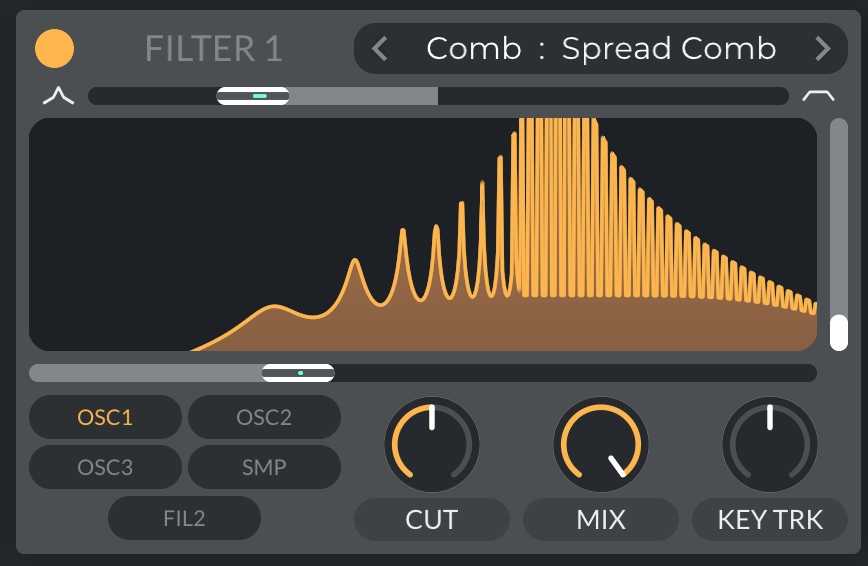
Vital’s Filters are fairly simple, you get two filters for the synth engine with another filter in the effects. Each filter has a morph control that transforms the filter from low-pass through band-pass into high-pass or other variations depending on the filter type. This drastically cuts down on the total filter types count, but makes navigating different filters a lot more straight forward. There are five different standard filter modes and three alternative filter effects types.
The standard filter modes consist of analog, dirty, ladder, digital and diode. The difference between each mode is fairly subtle with the exception of diode which has a bit more punch at the expense of clarity. The formant comb and phaser modes are where things get a lot more fun. The phaser filter can really carve out frequencies and is useful for whirling motion. My favorite is the “spread comb” comb filter mode, which focusses sonic energy within the comb filter for some really pleasing resonance. Each filter is also capable of audio rate modulation which makes them far more versatile than they appear at first. I do think Vital could benefit from a few more filter types, especially some more effects filter, the mighty “reverb filter” would be more than welcome here.
EFFECTS
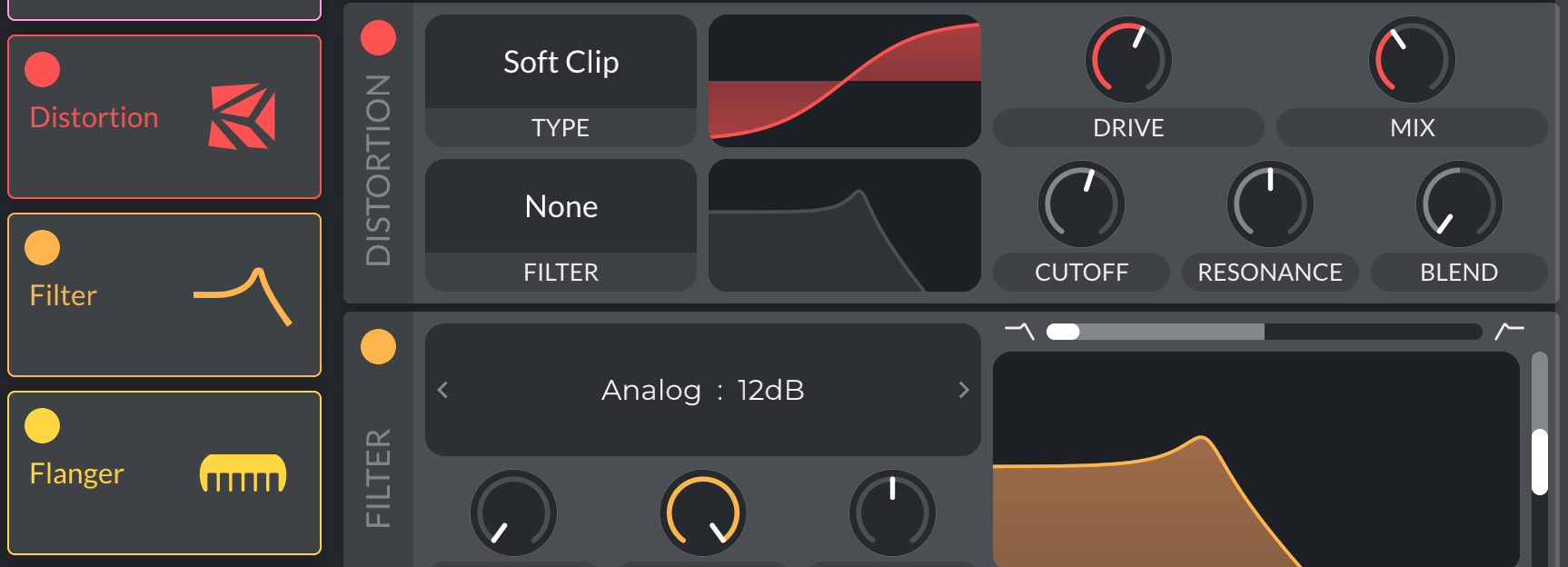
Nine effects reside in the effects tab, much like Serum, these effects can be loaded in any order you wish. However, unlike Serum, there is no hyper/dimension module. The effects all have a bit of animation which is a nice touch, and I actually really like some of these effects. The compressor adds some incredible punch, the reverb is quite pleasant as well. I wish there were a few more distortion modes, but bit crush and down sample sound great. In my opinion, the chorus is one of the more stand out effects, the spacing of each delay creates a very lush texture without imparting too much obvious motion.
MODULATION
The modulation in Vital is one of the cooler aspects, especially at the time this is where it really had a leg up on Serum. Vital has six envelopes, eight LFOs, four randomizers, and various note modulators. The drag and drop system is enhanced by previewing the modulation on your sound, leading to the occasional “happy accident” as you drag the modulator across the UI. As i mentioned earlier, there are color coordinated modulation handles readily available making adjustments a breeze.
The envelopes are where Vital somewhat falls short. There’s a few issues with clicky attack stages in some DAWs, and from my experience, there’s a bit of zippering caused by the envelopes on some controls. This is also noticeable on the main volume envelope, it is VERY VERY subtle, so maybe not “noticeable”, but it does somewhat negatively affect Vital’s otherwise high quality output.
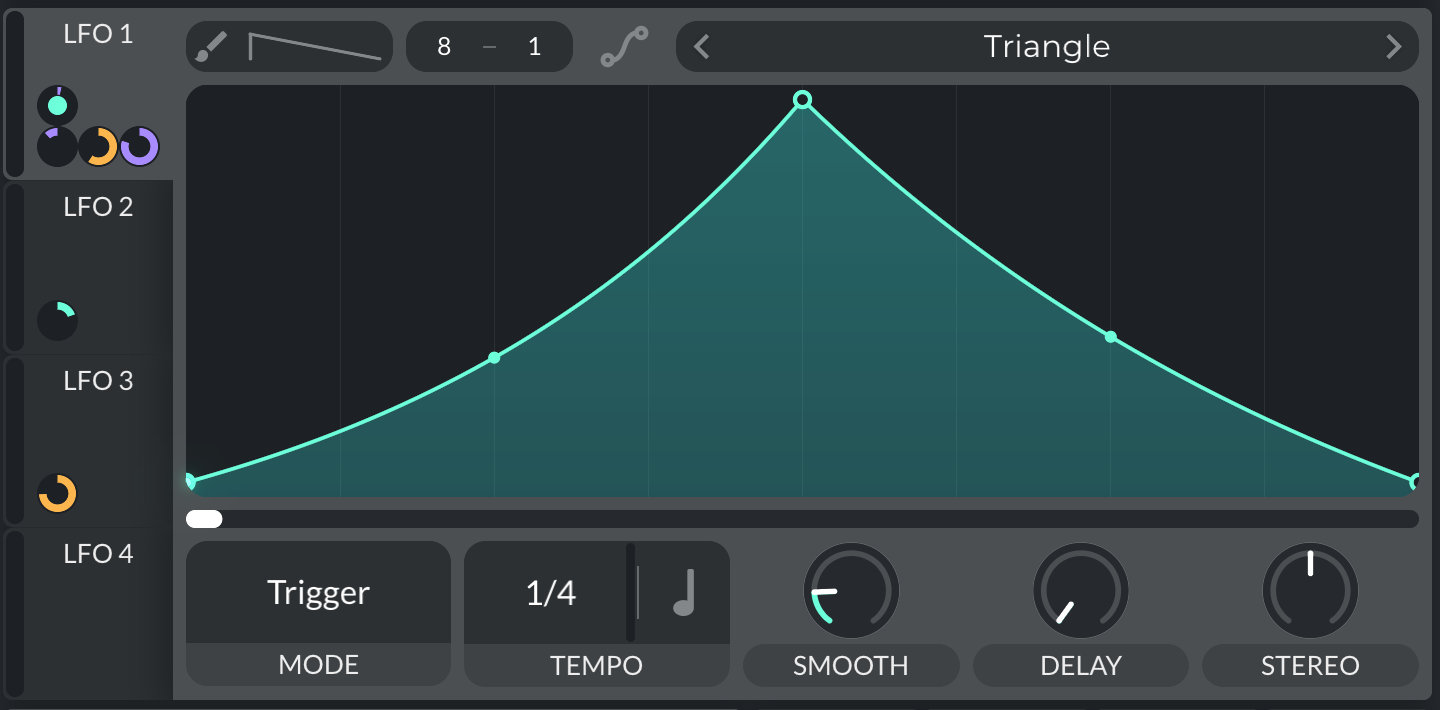
The LFOs are incredible, having a key-track options makes them act as oscillator modulators. This lets you do filter FM and other various sound design tricks that are normally relegated to analog synthesis. Also the inclusion of four randomizers with some unique random patterns adds a lot of chaotic motion potential to Vital. However, the biggest improvement Vital brought to the table was the modulation remap system. In most synths this is just a simple curve you can adjust, but being able to apply unique remapping per modulation means a ramp LFO can be any number of shapes so long as you don’t mind them sharing the same tempo. More importantly this allows for more control over macro design, for example you can add distortion just to the end of a macro, or control the resonance response alongside a filter macro.
HIDDEN FEATURES
Given Vital has been out for some time, you might not even care to read this review, so I figured I’d include some hidden features so you can get more out of this incredible synth. Like Serum, Vital has hidden away a small handful of neat features that aren’t important for every day use but can come in handy while experimenting or just pushing this synth to its limits.
-hold option or shift while dragging modulation to assign it as bipolar
-use scroll wheel while assigning modulation to set the modulation depth
-use scroll wheel to set LFO grid size
-hold command to momentarily use the brush on lfo
-while holding command use scroll wheel to set brush shape
-click “smooth” to use the optional fade in mode
-some parameters can be pushed outside of their control range via macros (or other modulation)
-option+click the spectral effects to select the hidden “spectral contrast” mode
Vital has been around for some time now, and very few freeware synths have even come close to it. I’m still looking forward to the day we see some sort of freeware multi effects plugin that meets these same standards, perhaps Amalgame is just this. While it’s not the perfect synth, I think it really nails a lot of design fundamentals and lays the groundwork for future soft synth designs. Obviously I’d love to see an update, and at this point I’d be happy to see whatever improvements Matt Tytel saw fit for Vital.
I also haven’t mentioned it until now, but Vital is actually open source, you can download and edit the source code and create any modifications you see fit, so long as you don’t mind spending the time and removing the Vital logo and name. I may just take at look at this side of things one day as I am dipping my toes into coding and software design, but when this day comes is indeterminant.
I’m really glad I got to test this synth and get my presets into it as well. I really owe my journey to Vital in a lot of ways, there’s a clear line between sound design and music as a hobby and my review/ preset design work before and after Vital. I learned this synth inside and out, and it taught me a lot about synthesis, again, if you are wanting to learn synthesis this is my personal suggestion and it will cost you nothing. That said, there are paid options which include presets and tables, if you want to support Matt these options are very affordable. As well I offer my own presets and tables for Vital which you can find in my shop.