
ANUKARI Review
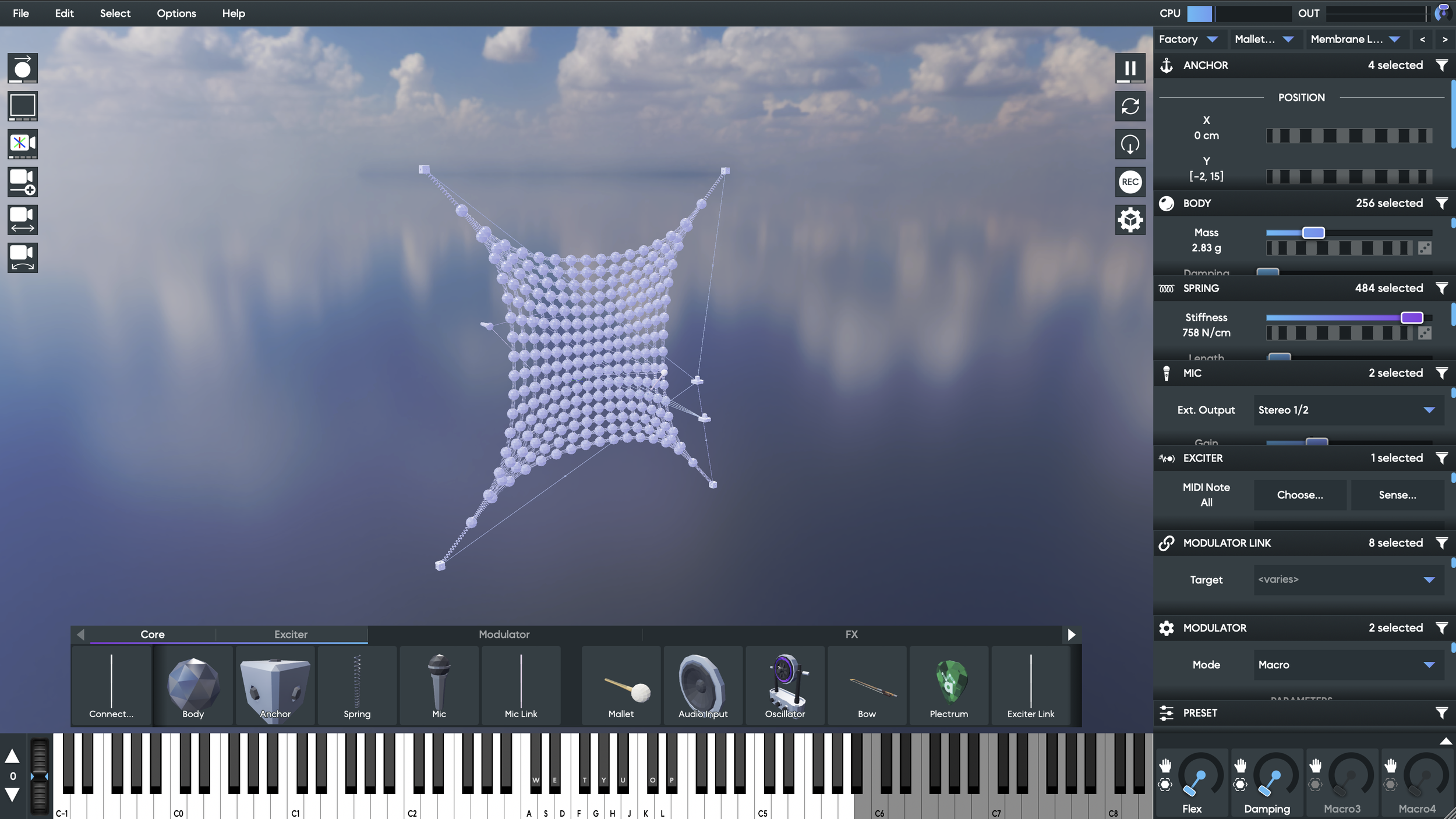
I remember seeing Anukari early on, well before its release, and it immediately struck me as something interesting. Unfortunately it wasn’t available for Apple Intel until somewhat recently. When Anukari reached out to me to try a copy, I was very happy to give it a spin. I was a bit hesitant at first, many demos seemed have a simple sound that you’d find in other physical modeling synths, and going through the presets gave me the same impression.
I tried building my own contraptions as well, but it wasn’t until I found a couple of the larger presets that I really started hearing what Anukari is capable of. I’ll get to some of those presets later, but I also found a few settings that really opened up the sound design potential. Things went from simple plucks and bells to crumbling sheets of metal and and buzzing bass heavy gongs. There’s some real magic hidden in Anukari behind a rather large amount of work.
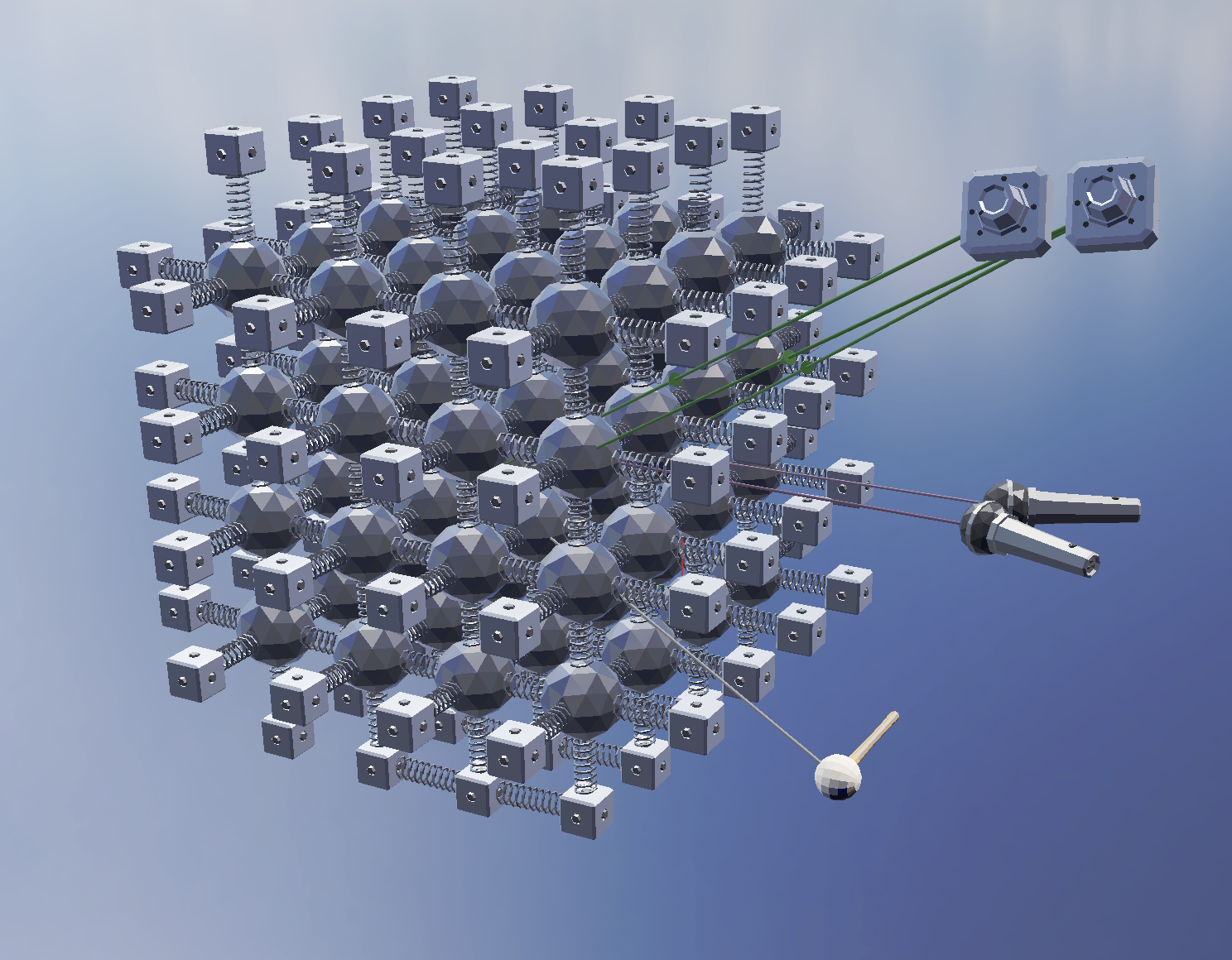
Anukari is a 3D physical modeling engine that allows you to build intricate networks of springs, anchors, and bodies. Anchors are used to hold springs in place, bodies provide mass so the springs can vibrate, and springs can change length and tension for various resonances. “Springs” are not actually springs though, they can sound like strings, and in various combinations they can sound like plates, pipes, bells, whatever, they are almost more like acoustic measurements. When a myriad of springs and bodies are configured together, they can have a behavior that matches closer to a solid material.
The UI of Anukari is really interesting and cool, but also could use some work. While the 3D engine side of things is incredibly unique and inspiring, the controls to navigate settings for each spring and node feel too abstracted and removed from the core system. I think Anukari is attempting a nearly impossible task here. It attempts to combine a 3D engine like Blender with an audio engine and both parts need to work in tandem. In many ways, this feels like an primordial version of some future instrument, a necessary first step before the ideal interface is discovered.
Setting aside my critiques of the UI, I found some really incredible sounds with Anukari that I really haven’t been able to achieve with other physical modeling synths. I’d actually really love for some of these models and settings to just be prebuilt and tucked behind the scenes with a simple control setup allowing for exploration of individual materials. It’s worth noting at this point that the “springs” don’t really model real world springs, and are closer to a vague “elastic acoustic material”. This means they are useful for FAR more sounds than an actual string could achieve. Combining various springs and settings can make plastic sounds, metallics, and other material tones.
I had a lot of fun exploring some of the presets, especially the ones with dense clusters of springs already built up. If you highlight everything in the patch, you can adjust the weight, length, dampening, and tension of everything all at once. Doing so reveals just how many sounds are hidden in Anukari if you play with full networks of settings. It is easy to assume there is not much to this synth if you simply experiment with a couple nodes at a time, it’s really these full networks of nodes that bring out the magic. My favorite control was the “length” control. This setting has to adjust in real time, which causes acoustic pops as the spring jumps to new values. I was able to get what sounded like scrapes on a guitar string, and even crumbling metal by adjusting this control. Playing with the whole network of springs as though it were a physical object you can crush and warp was just too much fun and honestly outweighs all of my criticism.
This all makes me wish there were more ways to control everything at once. For example, I’d like a way to randomly nudge all the settings instead of just a full range randomization. I really just wanted more ways to create and warp large networks of springs and to build and connect different prebuilt materials in a larger more zoomed out environment. As things are now, it feels like I’m playing with the atoms and molecules of something bigger. I also don’t think I spent nearly enough time with this engine, as a matter of fact, I don’t think anyone has, I suspect there’s some really amazing stuff to discover here.
I haven’t really touched on all the other modules yet. The exciters are cool, I love being able to bow things, but this can explode and crash the physics very easily. The pick and mallet are nice as well, and I didn’t even test the audio input! The rest feel a bit out of place, they make sense in the 3D environment, but I don’t really feel like macros and pitch bend or even the effects need to exist as movable objects in the physical space. I’d personally prefer if many of these things were done in a separate window with more traditional synth UI.
This was a hard plugin to review, I honestly have a lot of criticisms of this plugin, but it is important to contextualize those criticisms alongside the praises I also have for Anukari. Seriously, with the right settings, it is so much fun to grab one corner of a large mesh of springs and just make crazy twisting metallic sounds. There’s some stuff I got out of Anukari that I just have not been able to do with any other plugin.
I really hope more people put the time into exploring this one so we can develop some methods for creating new and innovative sounds with it. It’s just such a deep tool, it needs a passionate user to really explore and create new “tricks of the trade” with it.
If you plan on purchasing ANUKARI from Plugin Boutique, please consider supporting me by using my affiliate link
ANUKARI: https://www.pluginboutique.com/products/17641-Anukari?a_aid=61c378ab215d5