
Read the next entry here: https://www.databroth.com/blog/develog-one-making-modules
I think I can officially say I’ve begun my journey coding, after 2 weeks of learning plugdata and Lua, I’ve started to write my own scripts without following a tutorial. I’m very much in a trial and error phase right now, exploring how each keyword and comment works, testing out simple and small functions to build an understanding of each detail.
I want to continue posting these “dev-logs” as I continue on my journey, they likely wont be regular and just be a place for me to share major improvements and changes, and to showcase some of the new things I come up with. One of the hardest steps so far was simply getting started. Learning how to install Lua and get to my first “hello world” was rife with odd steps that if I had to repeat today I’d need to go back and re-read the help I already had. Many people have been helpful along my journey, sometimes with broad advice and sometimes with the exact specific detail I was missing, such as accidentally using a period when a colon was intended.
I have many goals I want to achieve, mostly in the UI/UX department. the way a user interacts with controls has a significant impact on how easy and friendly a piece of software is. I have a clear vision of the designs I want to produce in my head, but I also have a growing awareness of how complex many of these design ideas are to implement.
For example, something that is simple in the real world, like drawing a line from one point to another requires several steps to build into a UI.
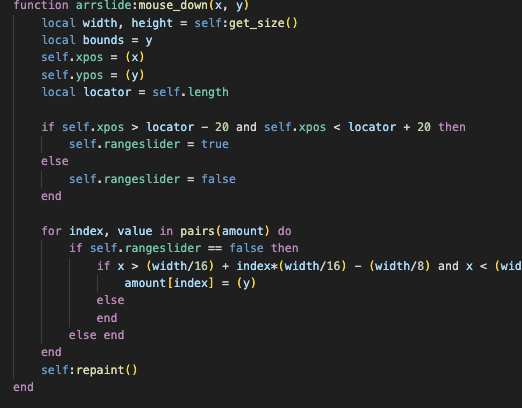
You’d need to first designate a drawable region, detect a mouse click and where that click is, use this to start a line, then identify any mouse motion and use the new location to set the end point of the line, and finally upon “de-clicking” the mouse, set the final location of the line. All this only to account for a straight line, how much more might be required if you want the line to continuously draw and follow each curve?
In PlugData you can add external files created in Lua, these objects are scripted out in text format rather than built using visual objects or nodes. This allows for far more customization, and makes many types of operations far easier (if not simply possible). For the most part, this Lua scripting is done to create custom UI objects, letting you design how your interface looks and feels.
I don’t plan to stay in Lua or Puredata forever, I want to do things entirely in Juce eventually, but for now the simplicity of Lua, its easy integration with plugdata, and the simple visual programming of plugdata allows me to learn, test and prototype ideas much faster than I could just starting out in Juce.
This isn’t my first attempt at coding, I wrote an article earlier this year about exploring Pico 8, and I have learned some basics in Juce as well as Cabbage in the past, but none of it really clicked without a tutorial. Pico 8 also used a stripped down version of Lua, so I had some familiarity with the language, though, not enough to get by without reading the manual over and over.
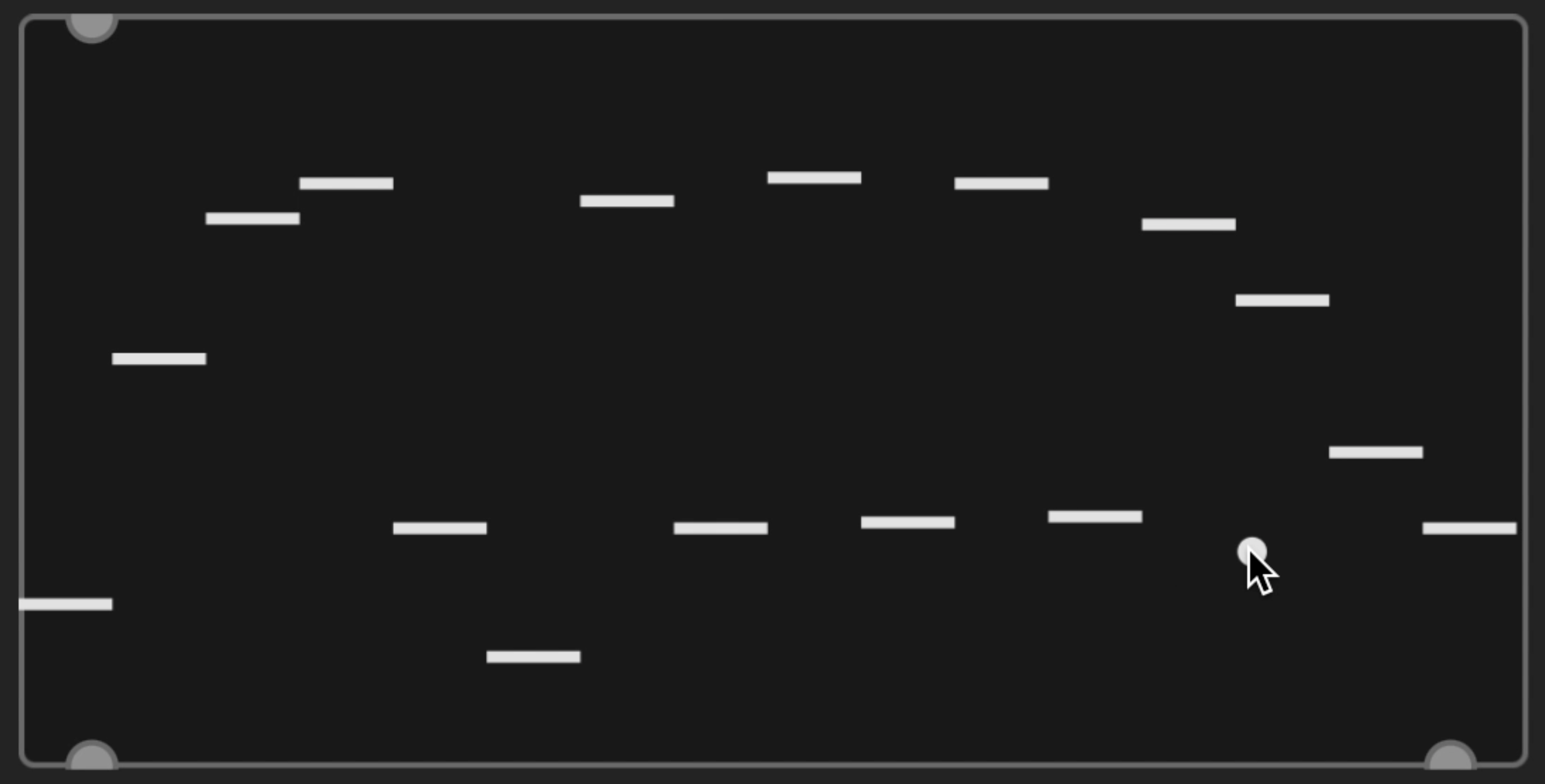
My first project was to make an array of sliders. There’s one built into Plugdata, but it doesn’t quite check off all the boxes I needed.
I wanted 16 sliders, a step indicator, a step length slider, and more control over the visual style.
I underestimated just how much I needed to write out to design this, every little detail needs to be described and designed. Do the sliders have limits? Can you drag from one slider to the next? Do the sliders move when you click or only when you drag? And I’m discovering many more questions.
While it is possible to write code for 16 separate sliders, this becomes quite cumbersome if you want to make any adjustments. With this in mind I had to learn arrays, or tables as they are called in Lua. Organizing for and if statements and how tables can iterate their index was quite a lot to wrap my head around, but definitely worth it in the long run.
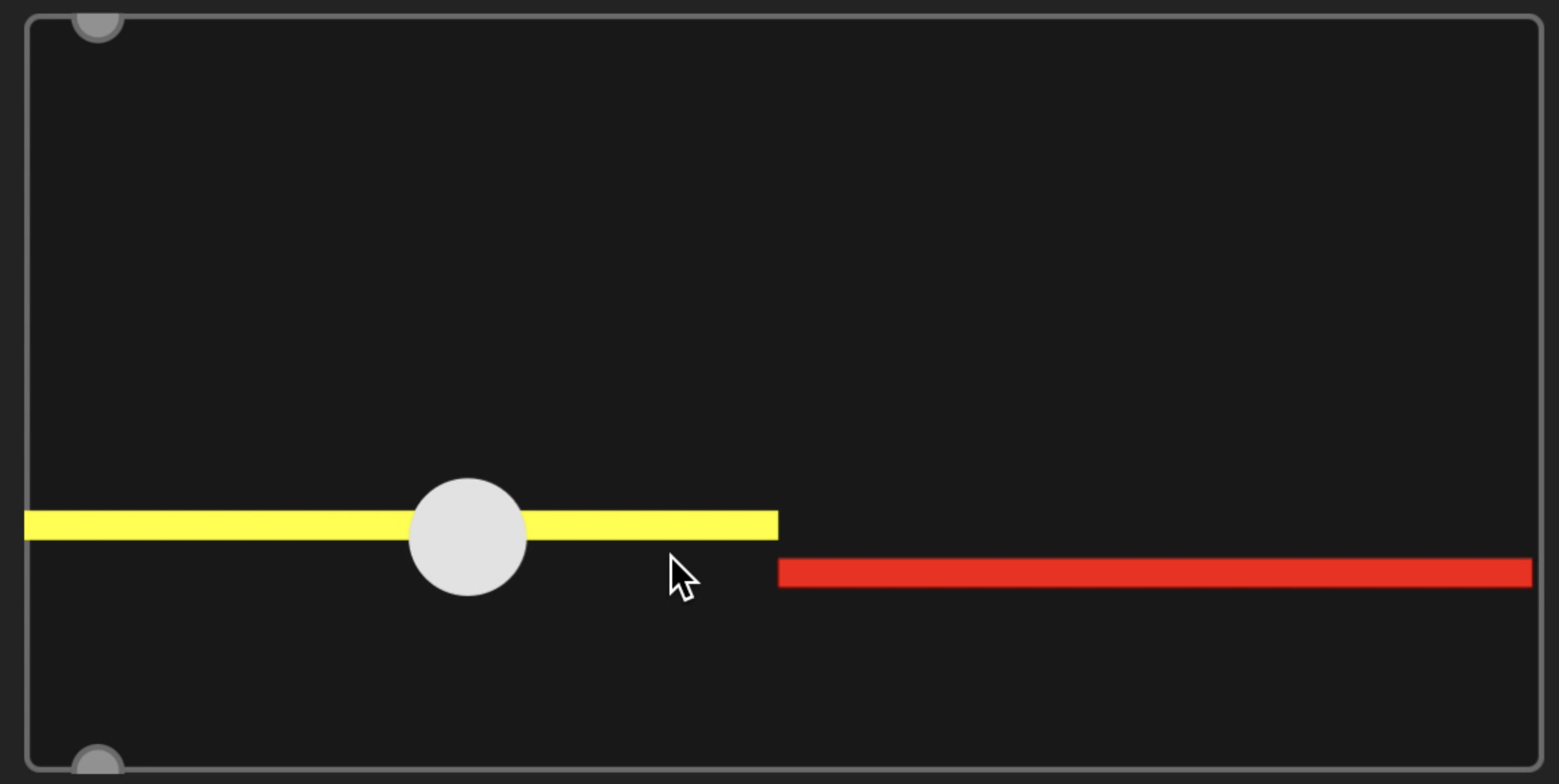
Making a sequencer length control was one of the more interesting challenges, I needed to have a grabbable region for the red indicator, when grabbing this region control over the sliders needed to be ignored, finally after releasing the indicator you still need to be able to grab it again from its new location. On top of this, it needed to lock to step positions and output the sequencer length value.
For each challenge like this I broke things down into smaller concepts where I could focus on one idea at a time. For example, instead of trying to build the sequencer length slider on top of everything else I already made, I simply made two boxes that could be grabbed and moved independent of one another.
I even added a few little touches like grey bars to indicate unipolar vs bipolar and toggles that could be dragged to active and deactivate (instead of one click at a time).
I still have a lot to learn to keep my code organized and efficient to work with.
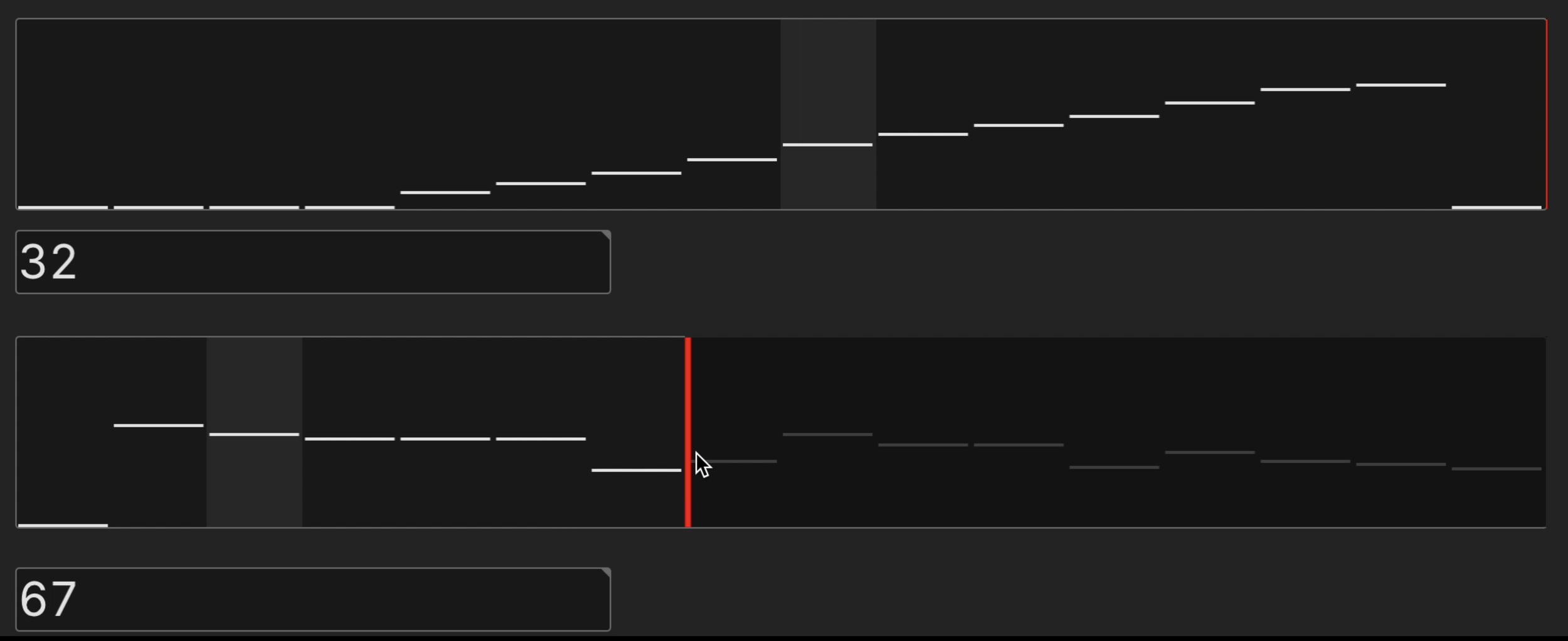
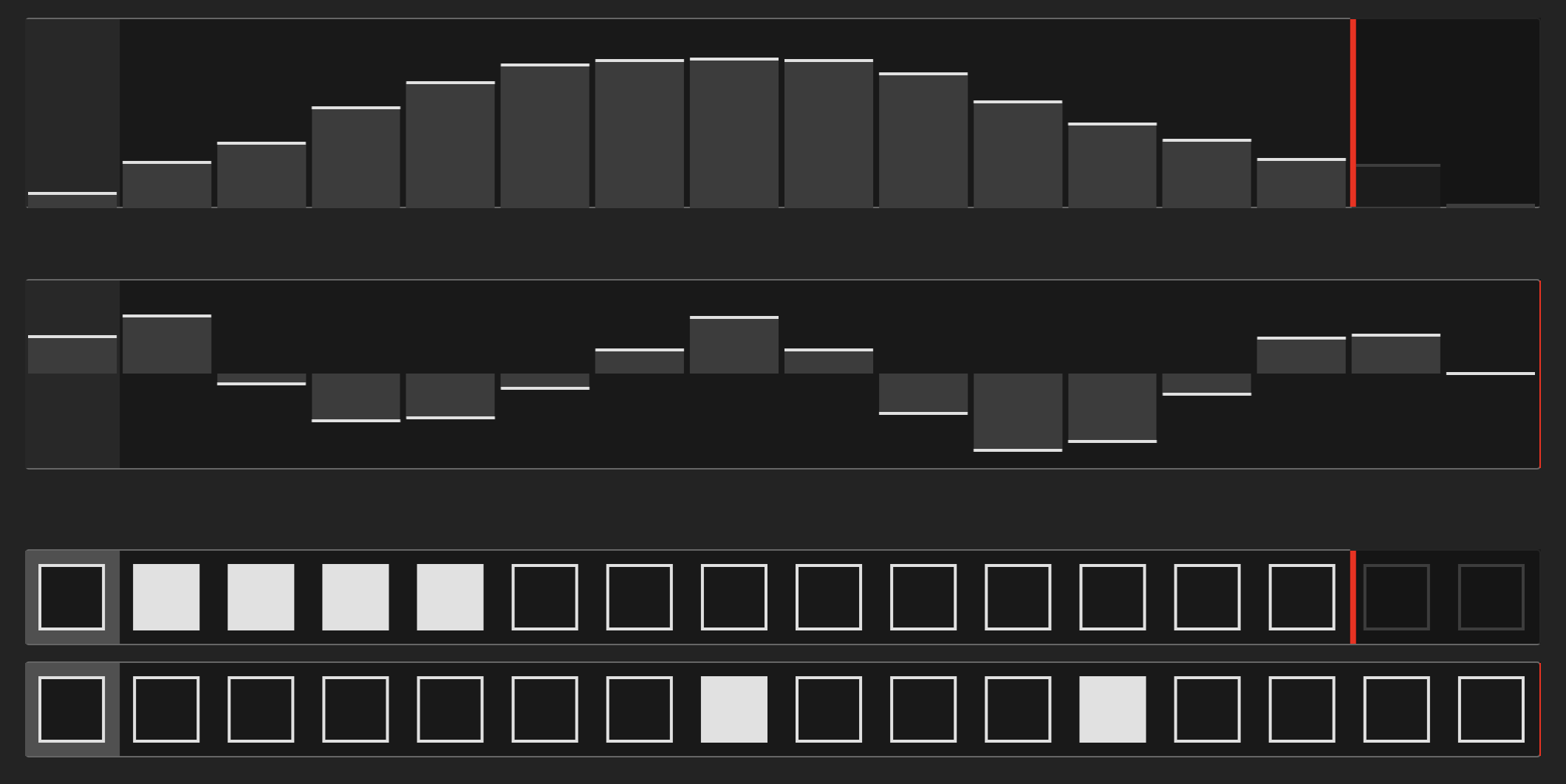
On the Plugdata side of things, it was important for me to get accurate clock sync and transport synchronization. This required an understanding of the playhead object from Juce and how it handles PPQ messages with Block size.
I still have work I need to do on the clock sync, but it is good enough for me to test my ideas, which is why I’ve spent so much time on the UI aspect. If you haven’t guessed by now, with 16 sliders, a step indicator and clock sync, I am building a step sequencer as my first plugdata project. I plan to sequence some effects with it which means I’ll soon have to actually design some dsp in PD. I’ve been looking forward to this part for awhile as I find node based environments very fun. I’ve already started a bit of experimentation with glitching buffer loopers, so look forward to a plugdata review in the near future.
This is likely too little to do a “dev log” about, but it is a major first step for me as I plan to eventually create some plugins. It is possible that my first plugins will be built with the help of a team, these wont be my own code, but eventually I want to start designing and releasing plugins from the ground up. I have a lot of ideas I want to get out there. I’m not sure how often I’ll update this log, I don’t want to make a post for every step of these projects, but I would like to share major progress and some of the building/ design process as I go. This is all a learning experience for me, but my goals are to create a PlugData effect that I’ve been imagining, then move on to creating actual VSTs and AUs eventually.