
HARMONY BLOOM Review
Mario Nieto sent me a copy of Harmony Bloom for review, I’ve been looking forward to trying Harmony Bloom since its release so I’m glad to finally give it a spin. While I don’t often review MIDI sequencing plugins, I do enjoy some of these more artistic creative sequencing tools like Droplets.
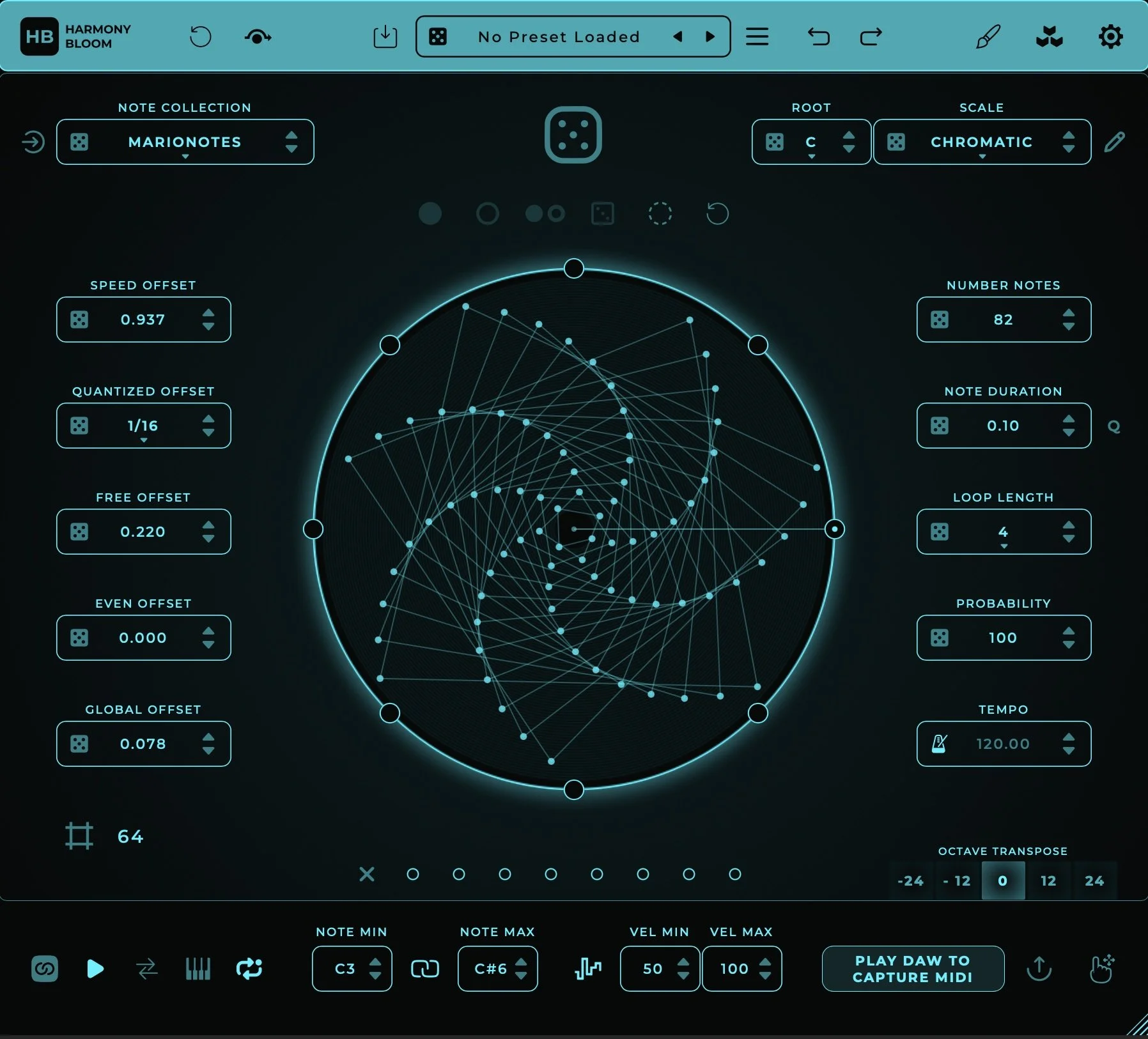
Harmony Bloom uses a spiral of nodes that trigger MIDI notes as they pass through one of eight playheads. You get control over the note range, scale, random velocity, note duration, probability, and more. I enjoy having multiple playheads, but I do wish I could set different note ranges or transposition per playhead, it’d be nice if the same node passing through one playhead would trigger a different note passing through another playhead.
The spiral pattern can be adjusted using the various offset controls. These adjust the timings of different groups of nodes, taking a rising sequential pattern and alternating between groups of notes for new rhythms and melodic ideas. The most fun control has to be the speed offset though, as it gives each node a unique playback rate, causing the spiral pattern to shift and warp over time as various node cycles fall in and out of sync.
You can randomize the settings with the dice icon at the top of the UI. You can also store different pattern settings into the eight snapshot selectors just below the spiral node visualizer. I like the UI, it is simple and pretty, there is an option for custom skins as well. Over all, this is a fun and interactive MIDI sequencer. I enjoy some of the emergent patterns that come out of playing with the various ranges and offsets. Harmony Bloom can easily be utilized in self playing generative compositions.
You can pick up Harmony Bloom from Mario Nieto’s website here: https://marionietoworld.com/harmony-bloom/