
RIPPLE DELAY Review
Davisynth has hooked me up with their Ripple Delay Pro multi-tap delay plugin. You may have read about it back when I posted an article about 15 plugins you’ve likely never heard of. I’m glad to finally get around to actually covering this one. As of this review I am covering the 1.1 beta version, which is available to customers, but has more features than the current demo version.
First off, the UI is fantastic, I love this simple white black and white style with minimalistic controls. The 3D tap graphic also provides some fun information and looks especially wild when you get some different “ripples” interacting. The pattern editor also has a nice design with the subdivisions nested into the main beat divided spacing. All the controls are laid out in a meaningful manner, with different editors for each control and tabs for different priorities. I understand the appeal to put everything on one page, but I think these organized layouts help to reduce visual complexity and structure the editing workflow.
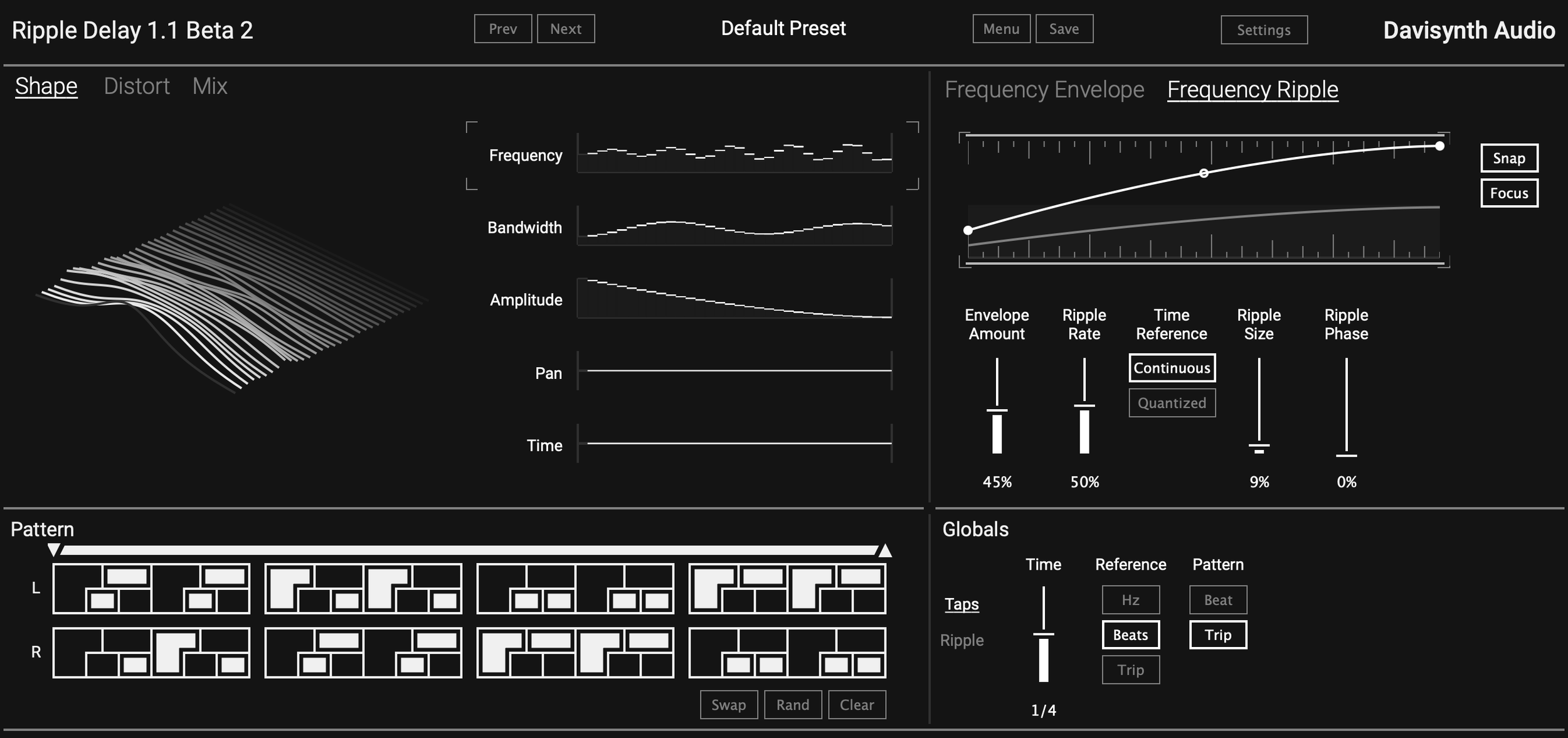
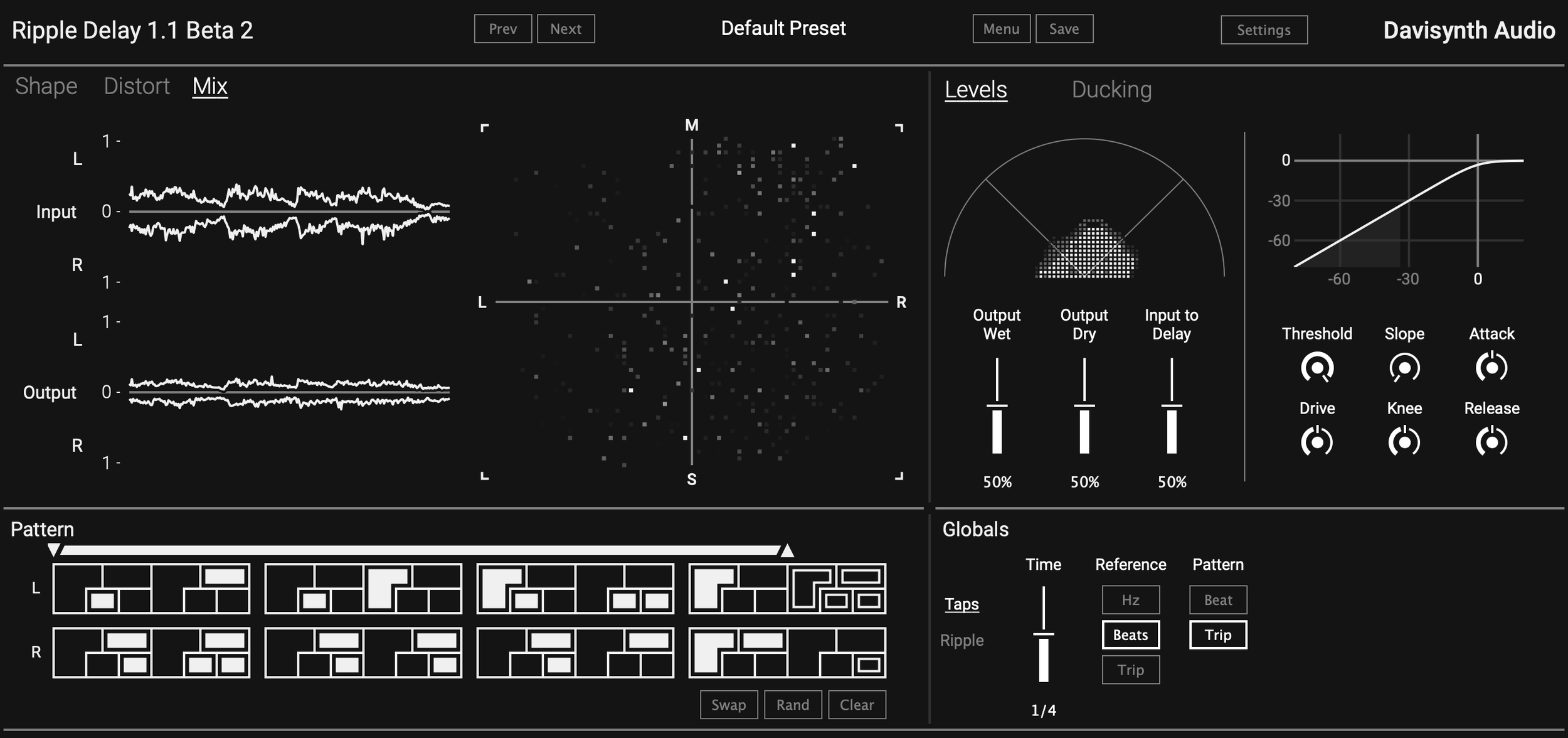
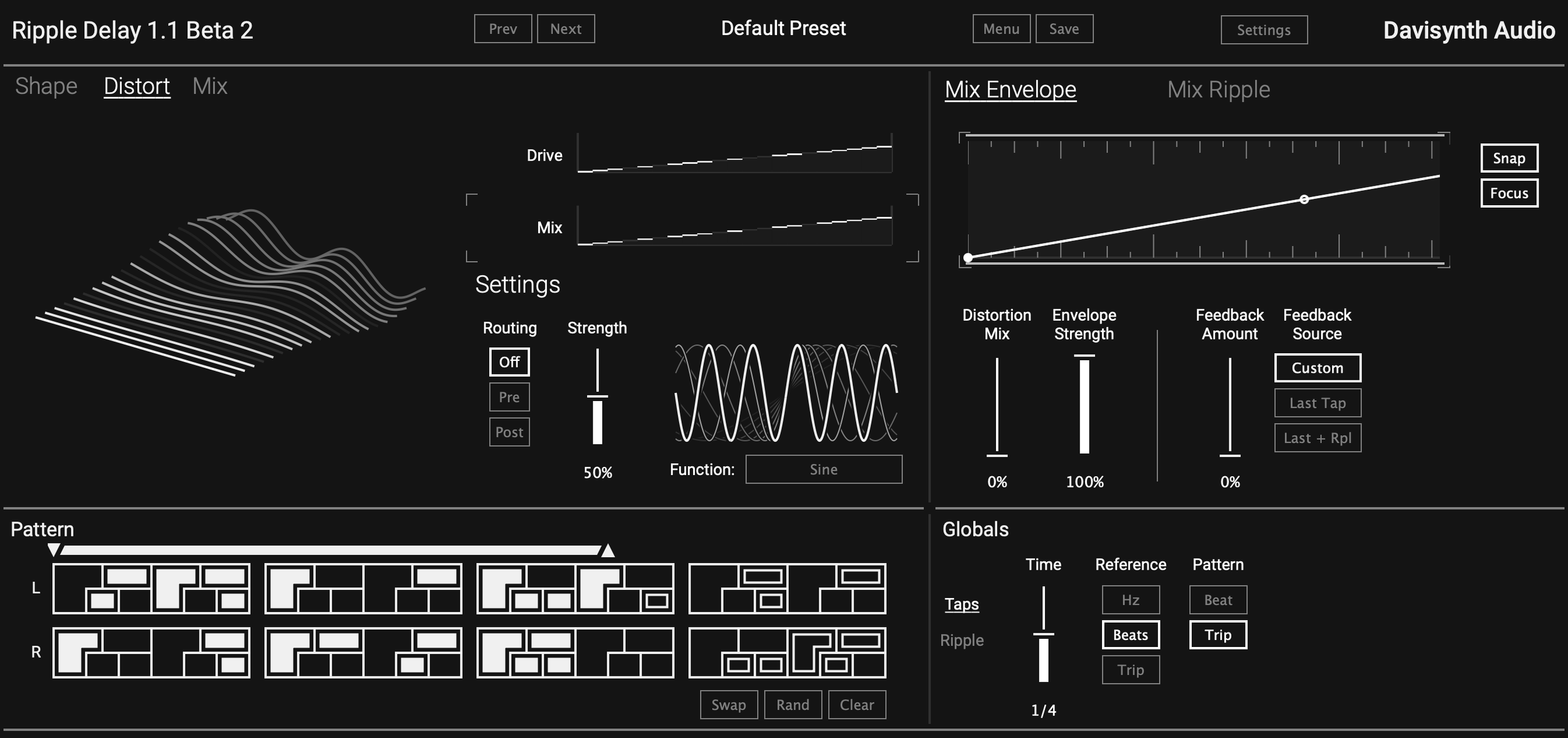
Ripple Delay gives you up to 32 delay taps, each with their own amplitude, panning, timing, filtering and distortion settings. Normally that alone would be hundreds of controls, but Ripple delay gives you control over all the taps with some convenient envelopes. These envelopes allow you to draw curves that define each control setting per tap. You get a few more controls to adjust the intensity of this curve and how it applies to the main control value. I think I would also like a “free draw” option, that displayed all the taps as individual sliders, but having the “MSEG”like curve is also a nice touch which looks a lot nicer too.
Where things get really interesting is the ripple tab for each control, this provides modulation per tap allowing you to add motion to the delays. Placing this on the time control can produce some lovely lush chorusing. You can freeze the ripple and apply it to time to get some skewed timing, but the results are fairly subtle. Adding this ripple modulation to the filter parameters makes the display sway like waves.
The taps get a cool set of toggles similar to a step sequencer, which makes sense as you’re basically step sequencing the delay echoes. I like the added touch of nesting in the double time divisions. A distortion page can add one of nine different distortion types to the delays. You get the same envelope and ripple tabs here too. Finally a Mix tab gives you access to a compressor and some ducking with quite a lot of visuals displaying your input and output levels
Ripple Delay is honestly very impressive, I really enjoy these methods of controlling a large amount of taps with minimal editing. In a way this delay reminds me of the control scheme in Sine Machine, which lets you adjust hundreds of partials with simple sliders and XY pads. Obviously that’s where the similarities end between those two, as this is a multi-tap delay and the other is an additive synth. But I bring that up to hopefully get across how important UI is when designing these plugins. This effect “could” be replicated with Snapheap, but it would take layers of nesting, loads of remaps, and the end result would be far too tedious to be worth building and editing.
You can pick up Ripple Delay here: https://www.davisynth.com/ripple-delay/