
UNISYNTH Review
I was recently asked if I could write a user manual for a new synth, to my surprise, it was by Unison Audio. Also to my surprise, it was a fairly solid synth. Unisynth is a four oscillator hybrid synth capable of analog, wavetable, sampler, and resonator based oscillators. It’s another classic Serum style synth, primarily focussed around wavetables, modulation and effects. The twist with this one is the Unison Audio logo buttons that let you randomize the preset or different modules within a preset. This randomizer offers a variety of instrument types and genres you can mix and match. As I’ve written the manual for this one, I’m a bit reluctant to go through every detail like I normally would in these reviews.
Let me get straight to some of the more unique features in Unisynth, because there’s actually a few workflow related features that I really like in Unisynth. First off, similar to vital, when hovering over a control, every modulation source is available for adjustment. However, when you right click any of these modulation handles, a drop down menu appears giving you access to everything that is available in the mod matrix. SO you can adjust the curve, polarity and even add auxiliary modulation all from the “front panel” without ever having to enter the mod matrix.
Unisynth also gives you a ton of control over voice handling, every LFO, envelope, and oscillator has a variety of trigger options in regards to voice handling, So you can have an envelope reset each note, or only on the first note in a legato melody, or you can have it prioritize the highest note. This covers a ton of nuance that many synths just leave as a default behavior. It’s a pretty subtle feature, but it means you can really dial in specific voicing characteristics of different instruments.
As for unique features, there’s a couple cool ideas in the wavetable editor I’ll cover in the oscillators section of this review.
Unisynth’s UI is pretty straight forward, the typical dark grey with cool accent colors style. I think they kept it clean and simple. Well, that’s in regards to the advanced view, in the standard view you get this anime looking android that has an attack animation when you click the big randomize button. You can deactivate the animation, and if you’re like me you’ll spend all your time in the advanced tab anyways, but this sort of cartoony mascot UI is not very appealing to me. I know I cover a few overly animated plugins like Beam, Cyclop, and even some of the Freakshow plugins, but something about this one just isn’t “weird” enough and doesn’t add anything for me. Otherwise, the rest of the UI is solid and basically exactly what you’d expect from this type of plugin.
OSCILLATORS
As mentioned, Unisynth has four oscillator types: analog, wavetable, sampler, and resonator. Each oscillator has unison with an in depth unison control tab as well as an oscillator-effect for further shaping. You can route them to either of the filters, directly to the FX, or bypass everything and output the osc directly. There’s some cool trigger options allowing you to activate an oscillator on the release stage of the voice.
Analog: This one is pretty simple, just a few basic waveforms with pulse width modulation. There’s a nice noise generator here too. This analog osc type also has all the same osc-fx as the wavetable oscillator. These include FM, AM, PM, Sync, Bend, Squeeze, Asym and most of the typical phase distortion effects you’d expect in a wavetable synth.
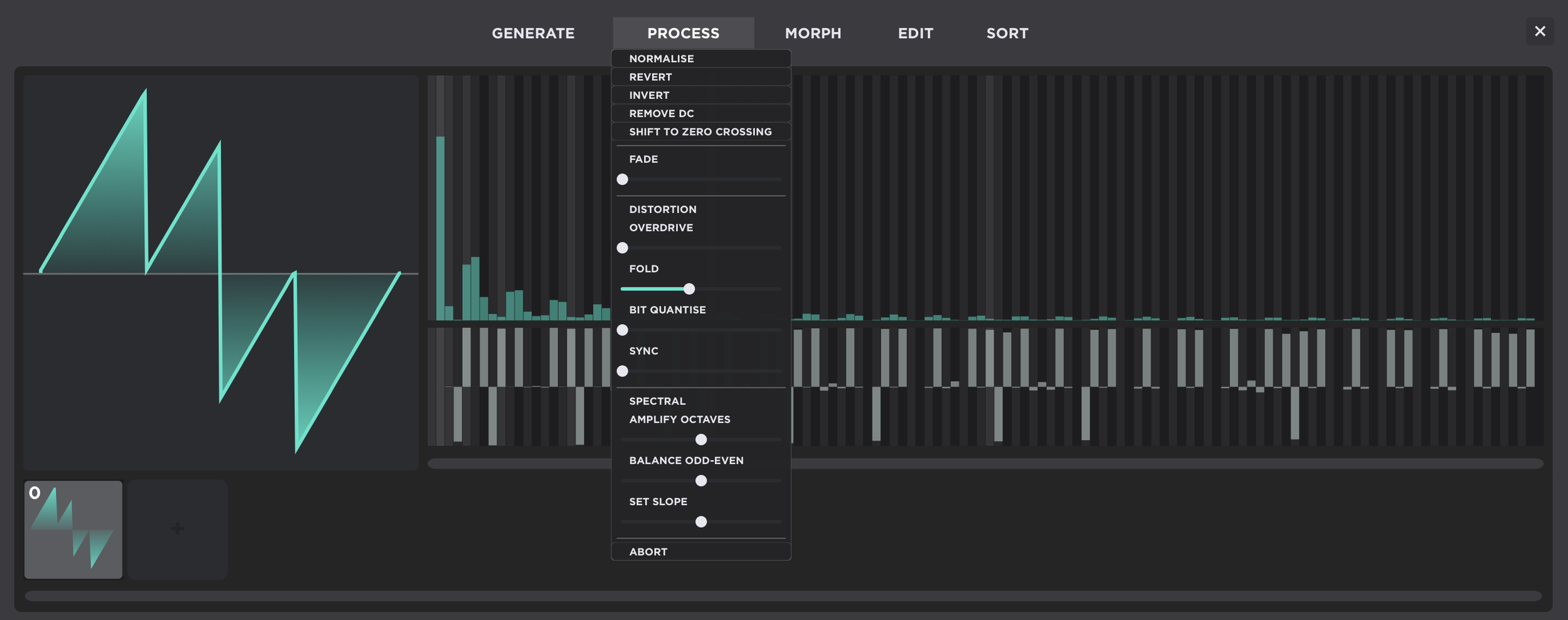
Wavetable: A typical wavetable oscillator, you get control over table position and all those same osc-fx mentioned earlier. There is a built in table editor that is actually reasonably competent. This editor is closest in design to the Serum editor, with many of the same sorting, editing and morphing controls. While it lacks any way to draw a waveform I did find the process controls to be pretty neat. The process menu contains some destructive sliders that you can adjust to make changes to the waveform. Unfortunately you can only really adjust one at a time, but clicking out of the process menu commits the adjustment at which point you can add more.
Sampler: A simple sampler engine that allows you to load one sample at a time. There’s quite a few looping and fading options built into the oscillator window. The osc-fx for the sampler are just low pass and high pass filters.
Resonator: The most unique oscillator for this type of synth, you can use the resonator for basic physical modeling applications. Instead of an osc-fx you can chose which oscillator behaves as the exciter. You can of course use comb filters for this purpose, but having resonators as an oscillator type frees up some filters for further processing.
FILTERS
The filter section is pretty typical for this type of synth, you get control over frequency, resonance, drive and one “variable” control that differs between filter types. There are some neat key-binds for the XY display that allow you to isolate X and Y axis so you can adjust frequency without adjusting resonance, but you could also already do that with the cutoff dial. As for the filter types, there’s a few interesting ones: a few comb filters, phaser filters, notch and all pass filters and a couple vowel filters, but there’s also a boatload of classic style “analog” filters with some filter options having another layer of sub menus.
EFFECTS
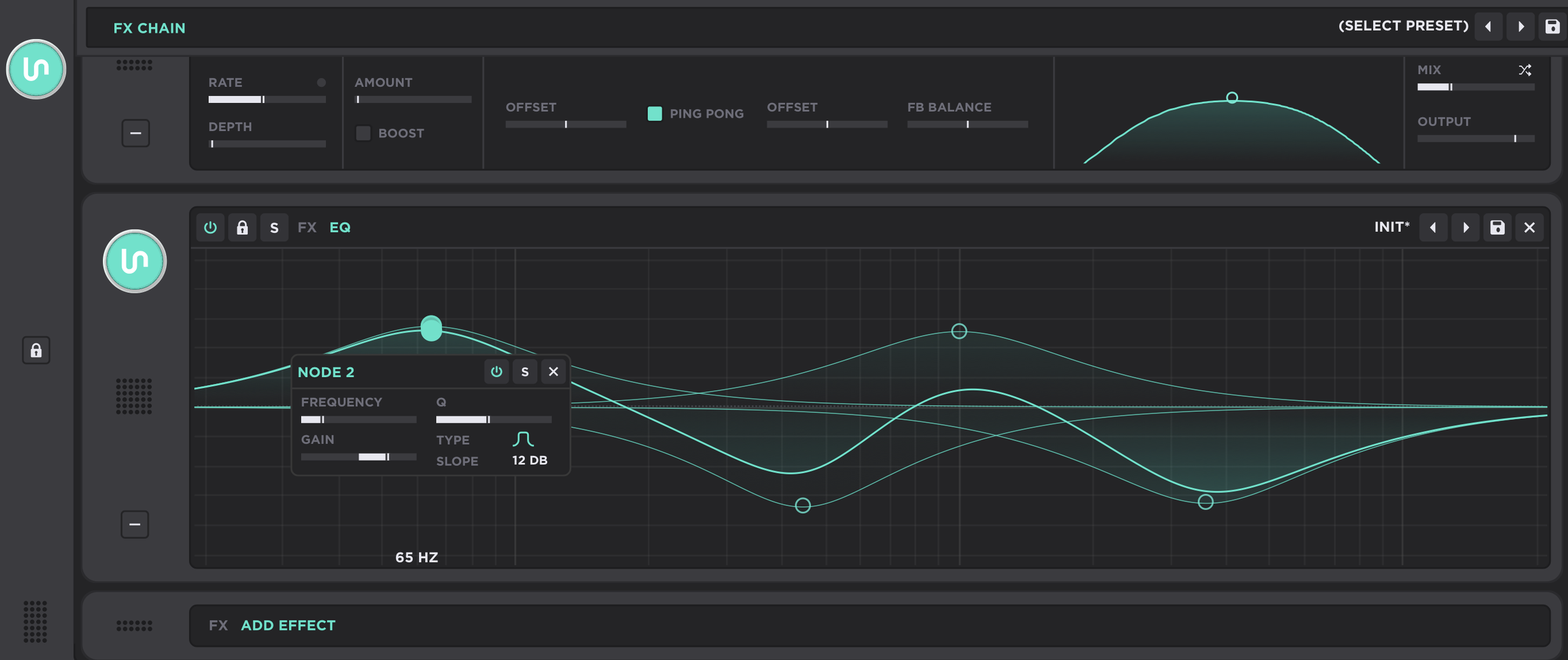
The effects are on their own tab with a “rack” style setup allowing you to add and sort effects as you please. You are only able to add one instance of each effect, but there’s quite a few to chose from. This does mean you only really get one delay, as there is only one “delay” effect, however, there’s a few distortions that you can stack in interesting ways.
All of the typical effects are here, from delay, to chorus, to filter and even an OTT. There’s a cool super unison effect and even a convolution reverb.
The EQ is pretty damn solid though, one of the more comprehensive EQs for this type of plugin giving you up to eight nodes with full control over Q and slope, allowing for some of those nearly square band shelves. You can also modulate each EQ node for detailed bass design.
MODULATION
You can add up to eleven modulation sources, these can be either envelopes, LFOs, chaos, or “trackers”. The trackers are used for key tracking or velocity mapping and those types of utility modulation. Envelopes have delay and various trigger settings for some more complex envelope setups. The LFO is an MSEG style looping LFO with full node based curve editing. This includes a zoom function making the LFO take up most of the plugin window for enhanced editing. Finally the chaos can be set to stepped, smooth, and “line” which is a linear random interpolation, something I’ve been asking for in many synths, so glad to see linear random for once.
I suspect a lot of people will never leave the standard view, as many people just love to randomize presets and work with what they get. I think the little sub-randomizers are a nice touch for people who enjoy this process, though for me they are like little land mines that I have to make sure I don’t accidentally click instead of a control. While here are a ton of these wavetable driven Serum styled synths, I think this one brings a lot of small details to the table that will open up some possibilities for some sound designers. Particularly all the little looping and trigger settings with envelopes and LFOs. Though these are subtle details that very few will care about. The modulation dropdown menu stuff is also really exciting, I think they handled that in a cool way I’d love to see replicated. I know Unison Audio has a reputation, so I feel a bit surprised with how solid this synth is. I’m curious now what direction they’ll take things next.